

Planet types and prefabs
Find the worlds and stars in Assets/FORGE3D/Planets HDRP/Prefabs. Choose the closest look, then edit its materials in the scene.
| Family | Starting prefab | Choose it for |
|---|---|---|
| Terrestrial | Planet_Terrestrial_01 | Continents, oceans, clouds and city lights |
| Oceanic | Planet_Oceanic_01 | A water-covered world with glossy highlights and clouds |
| Moon | Moon_01 | Cratered terrain and grazing light |
| Ice | Planet_Ice_01 | Frozen surfaces with a layered ice palette |
| Lava | Planet_Lava_01 | Dark rock and emissive fissures |
| Gas | Planet_Gas_01 | Flowing bands, polar color and a transparent ring |
| Sand | Planet_Sand_01 | Warm deserts, rocky highlands and moving cloud masks |
| Thunderstorm | Planet_Thunderstorm_01 | Animated storm detail and intermittent lightning |
| Sun | Sun_Red | A bright photosphere, corona plates and atmospheric glow |
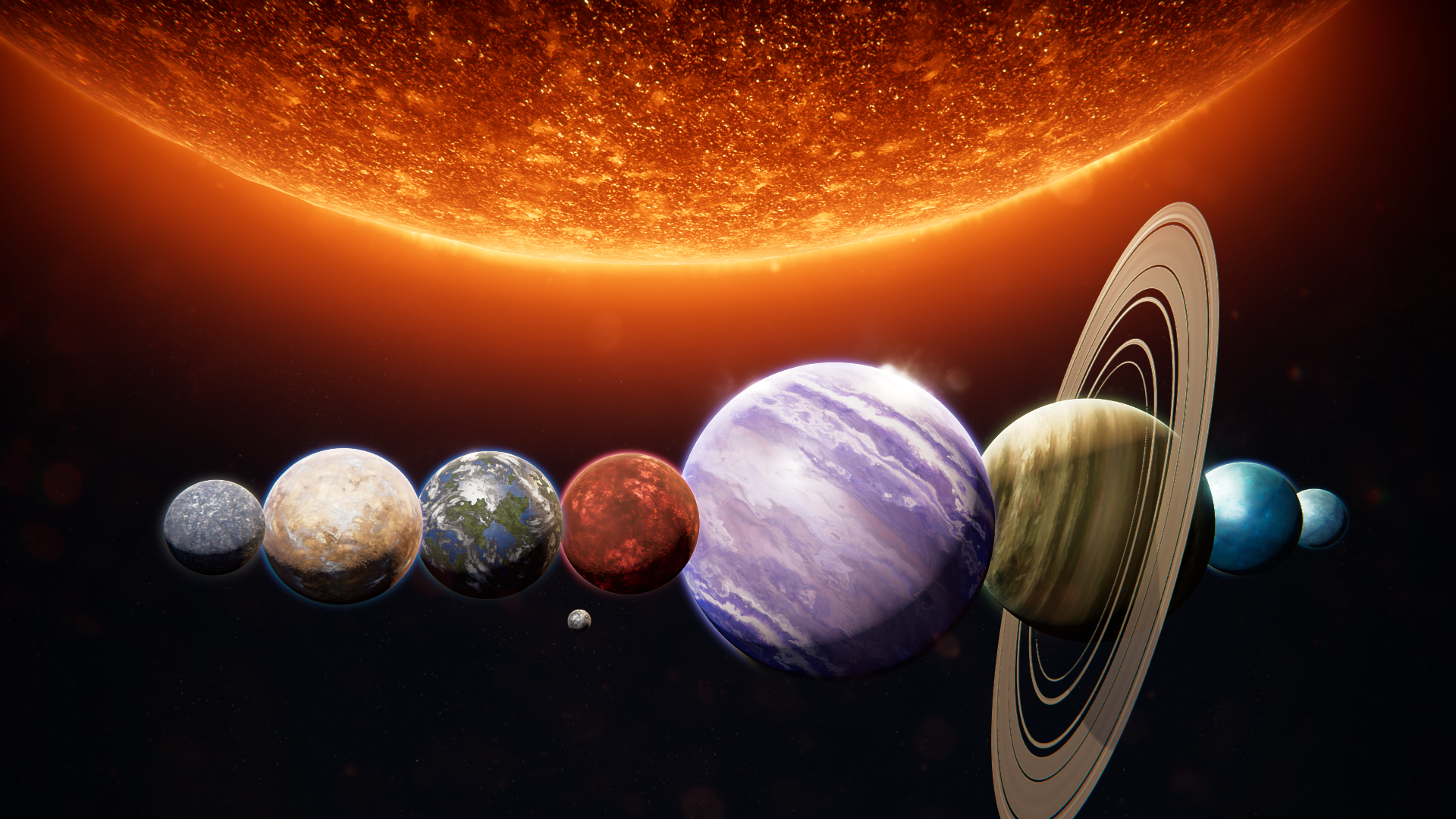
Open PlanetsDemoscene_03 to compare the supplied worlds under the same scene lighting.
Read the hierarchy
Section titled “Read the hierarchy”- Root Mesh Renderer. On
Planet_Terrestrial_01,Planet_Gas_01andPlanet_Lava_01this draws the body. Check its material slot before changing the surface. - Atmosphere child. For example,
Atmosphere_Terrestrial_01draws the glow around the body. The authored shell transform and its material radii work together. - Ring child. In
Planet_Gas_01,Planet_Ring_01has its own mesh and material. Change this renderer when you want different ring bands. - Stellar layers.
Sun_Redhas severalStarCoronaPlatechildren and two atmosphere children. See Sun and Corona for their material assignments.
Move or rotate the world through its root as needed. For the first shot, preserve its scale and keep the camera outside the atmosphere. Frame a smaller or larger disc by moving the camera before changing the shell dimensions.