

Sun
Create an animated stellar surface with a hot-color palette and subtle silhouette motion.
Visual example
Section titled “Visual example”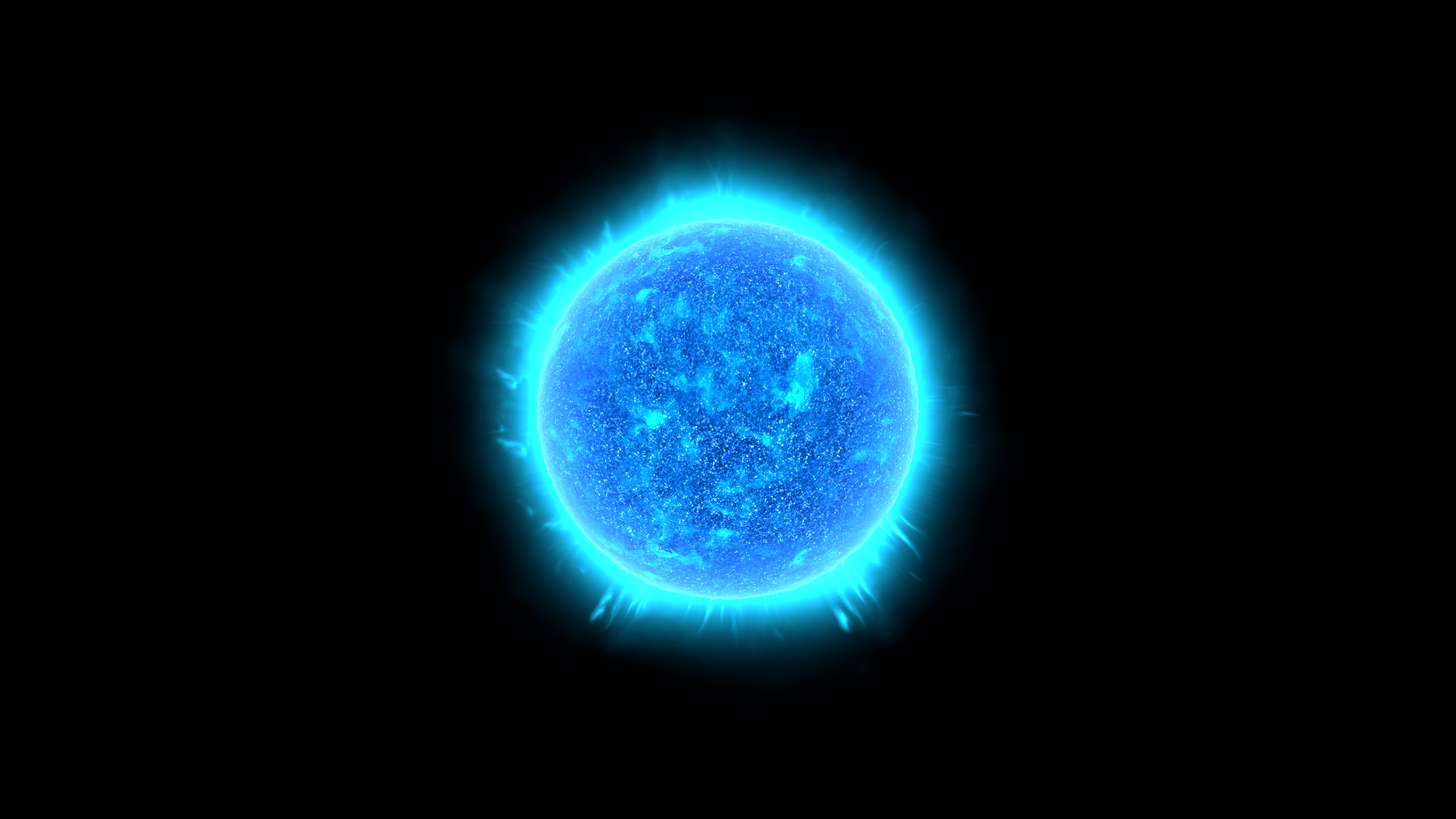
Where to find it
Section titled “Where to find it”Shader menu: FORGE3D/Planets HD/Sun. Start with Assets/FORGE3D/Planets/Sun/Sun_Blue.prefab.
Material: Assets/FORGE3D/Planets/Sun/Materials/Sun_Blue.mat. Select the relevant Mesh Renderer > Materials slot, duplicate that material into your own folder, and assign the copy before editing. See material ownership.
Main settings
Section titled “Main settings”The image includes the supplied corona and atmosphere for context. Edit the surface material to change the stellar texture. Sun is unlit visual geometry; add a separate Unity Light to illuminate planets. The published stellar close-ups use the demo’s root scale of 1200. Preserve the supplied layer proportions when changing scale.
Surface and effect shape
Section titled “Surface and effect shape”| Inspector setting | Property ID | Use and visual effect |
|---|---|---|
| Surfrace Map | _SurfraceMap | Stellar surface texture. Its red/green detail drives the color and flakes layers; the original label spelling is intentional here. |
| Sun R Tiling | _SunRTiling | Texture repetition for sun r. Increase for finer repeated detail; tune its paired motion control separately. |
| Sun G Tiling | _SunGTiling | Texture repetition for sun g. Increase for finer repeated detail; tune its paired motion control separately. |
| Surface Speed | _SurfaceSpeed | Animation rate for surface. Zero stops that layer’s motion; compare over time in Play Mode. |
| Cool | _Cool | Color of cooler-looking stellar regions. Tune with Warm and Hot for a new star palette. |
| Warm | _Warm | Middle color of the stellar palette. Use to connect the darker and brighter surface regions. |
| Hot | _Hot | Color of hot-looking stellar regions. Alpha also scales the flakes contribution; preserve it while first adjusting RGB. |
| Surface Mult | _SurfaceMult | Multiplier for the stellar surface mask. Tune with Surface Power before overall Boost. |
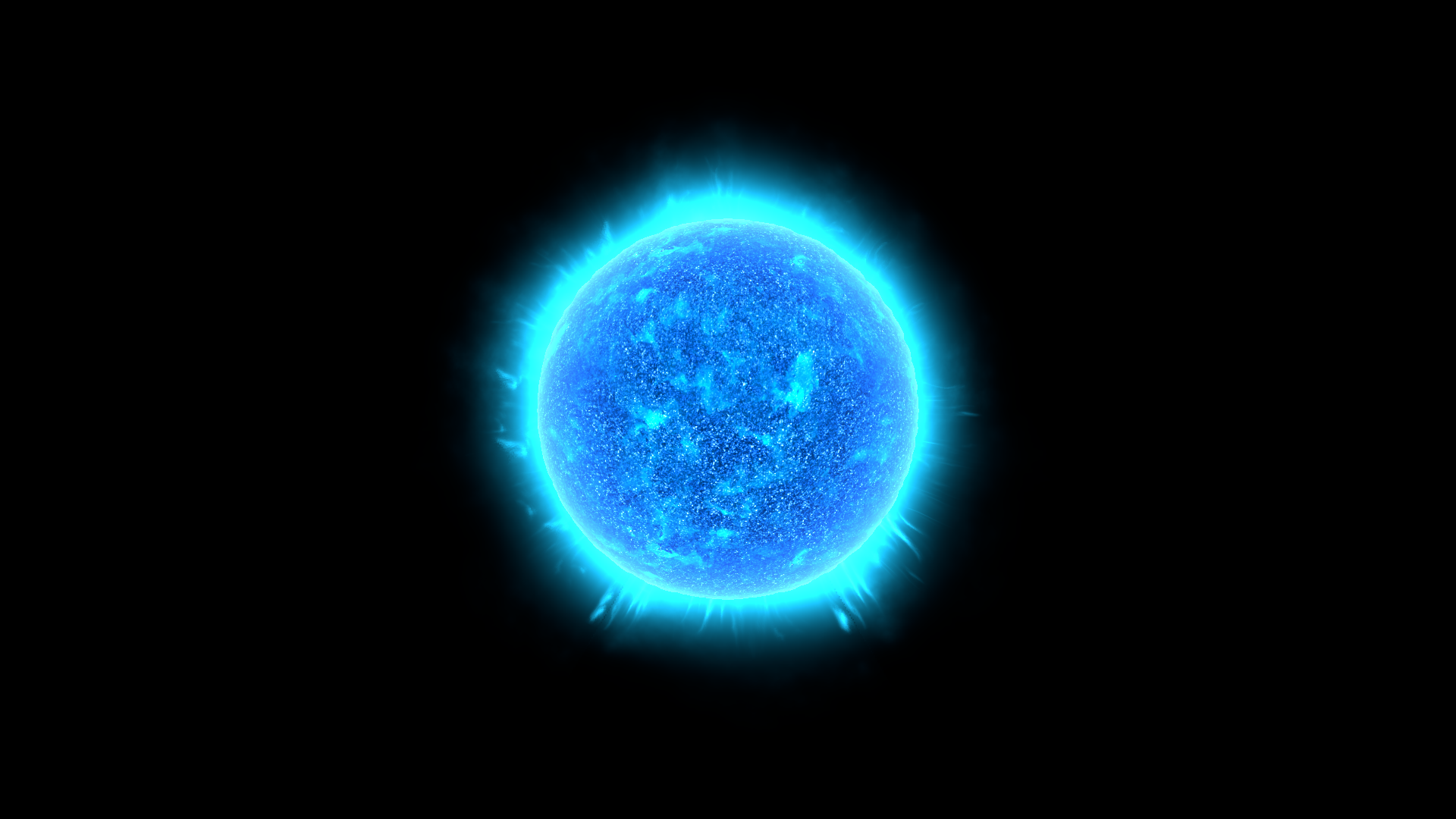
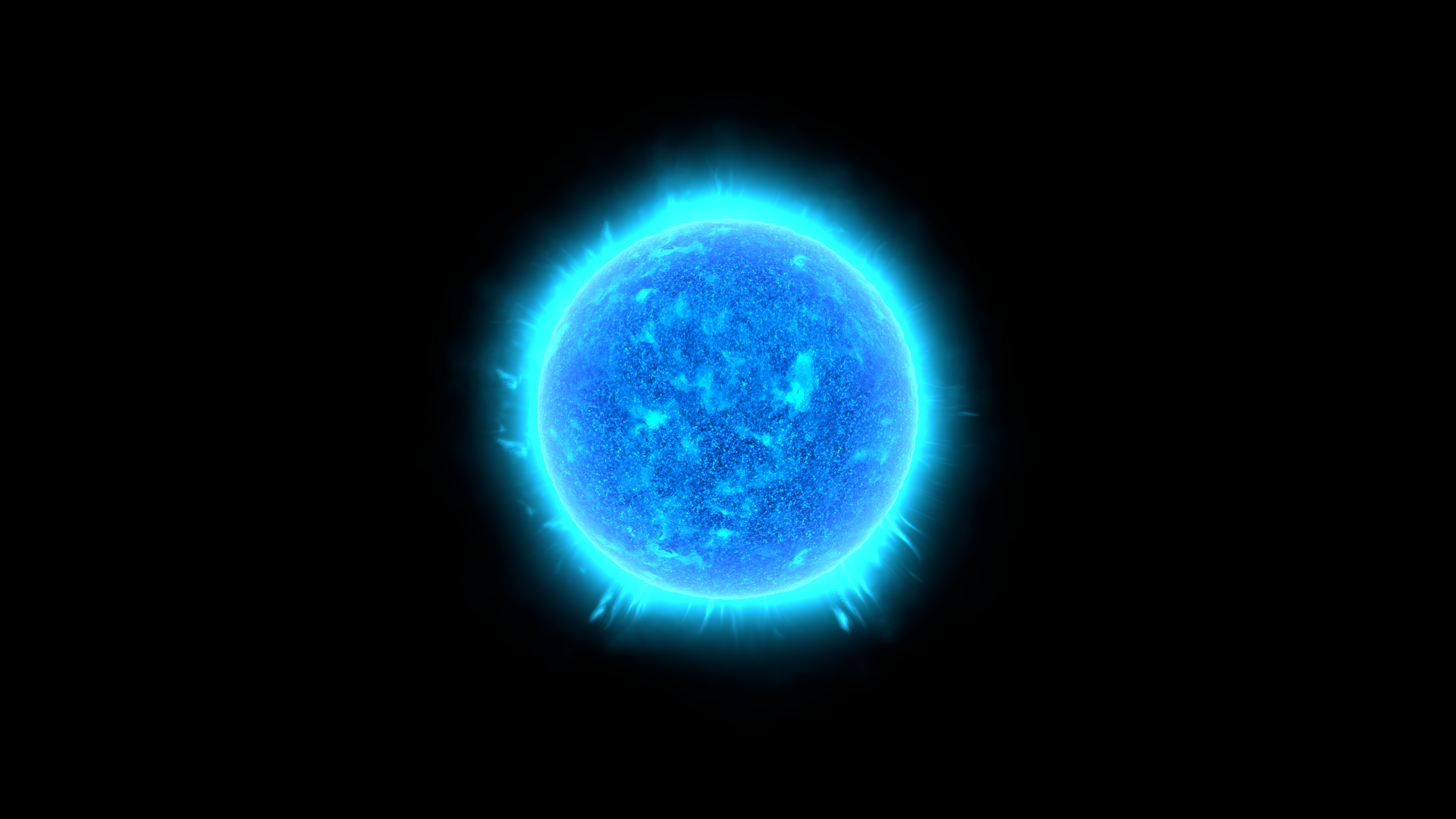
| Surface Power | _SurfacePower | Exponent shaping stellar surface contrast. Compare the bright and dark surface structures below. |
| Flakes Mult | _FlakesMult | Strength of bright fine surface flakes. Hot alpha also affects their visibility. |
| Flakes Power | _FlakesPower | Contrast exponent for the fine flakes. Tune before increasing Flakes Mult. |
| Boost | _Boost | Overall unlit stellar brightness. Reduce when surface detail is lost to white highlights. |
Detail and mapping
Section titled “Detail and mapping”| Inspector setting | Property ID | Use and visual effect |
|---|---|---|
| Distortion UV Map | _DistortionUVMap | Texture that bends the animated detail coordinates. Tune its motion separately from the main detail. |
| Distortion UV Tiling | _DistortionUVTiling | Texture repetition for distortion uv. Increase for finer repeated detail; tune its paired motion control separately. |
| Distortion UV Speed | _DistortionUVSpeed | Animation rate for distortion uv. Zero stops that layer’s motion; compare over time in Play Mode. |
| Distortion Factor | _DistortionFactor | Signed distortion strength. Larger magnitude bends the surface pattern more strongly. |
| Triplanar Falloff | TriplanarFalloff | Sharpness of the stellar texture projection blend. Keep a positive value and inspect the limb while adjusting. |
Lighting and rim
Section titled “Lighting and rim”| Inspector setting | Property ID | Use and visual effect |
|---|---|---|
| Frensel Mult | _FrenselMult | Strength of the rim contribution. At zero, changing its color or power can have no visible effect. |
| Fresnel Power | _FresnelPower | Concentrates the view-dependent rim. Increase to narrow its response toward grazing views; compare with Frensel Mult enabled. |
| Fresnel Color | _FresnelColor | Color of the view-dependent rim contribution. Its strength also depends on Frensel Mult and Fresnel Power. |
Silhouette motion
Section titled “Silhouette motion”| Inspector setting | Property ID | Use and visual effect |
|---|---|---|
| Vertex Tile | _VertexTile | Spatial frequency of stellar vertex motion. It changes silhouette detail rather than texture tiling. |
| Vertex Speed | _VertexSpeed | Rate of stellar vertex motion. Inspect in Play Mode from the final camera distance. |
| Vertex Power | _VertexPower | Amplitude of stellar vertex motion. Increase carefully and check the silhouette against the corona. |
| Vertex Falloff | _VertexFalloff | Concentrates stellar displacement toward grazing views. Tune with Vertex Power at the limb. |
Advanced settings
Section titled “Advanced settings”Sun R Tiling and Sun G Tiling change the red/green texture layers independently. Surface Mult/Power shape broad detail; Flakes Mult/Power shape finer detail. Vertex Tile/Speed/Power/Falloff affect actual silhouette motion, so inspect the limb as well as the center. For mapping and rendering details, see Technical reference.
Practical example
Section titled “Practical example”Duplicate Sun_Blue.mat. Compare Surface Power = 1.9 and 3.8 for a different surface contrast. Choose Cool, Warm and Hot together for a new palette, preserving Hot alpha. Match the separate corona color afterward.
Setting comparisons
Section titled “Setting comparisons”These examples keep the camera, light and other material settings fixed within each pair. Before appears first and After second. Values describe these examples, rather than a required range.
Surface Power comparison
Section titled “Surface Power comparison”Before: 1.9; After: 3.8
Look at the balance of bright and dark stellar surface structures.
Before — Surface Power = 1.9
After — Surface Power = 3.8
Related topics
Section titled “Related topics”Shader guide · Materials and customization · Lighting and effects · Practical workflows · Troubleshooting