

Oceanic
Overview
Section titled “Overview”Build a water-covered planet with a deep-to-shallow palette, grazing color and moving clouds.
Shader menu · FORGE3D/Planets HD/Oceanic
Visual example
Section titled “Visual example”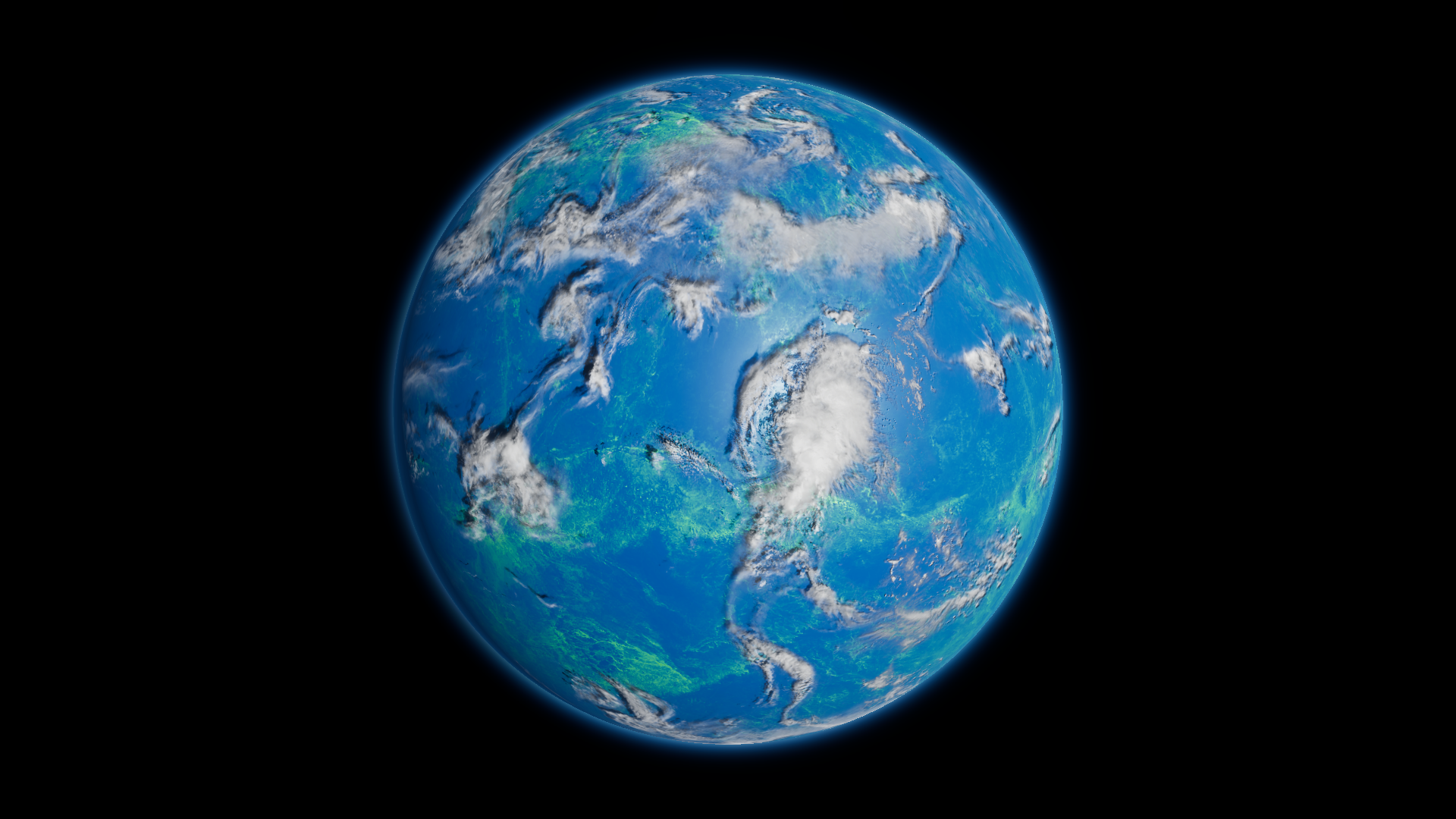
Before · Water Deep Color RGB (0, 0.248, 0.456), rounded.
Where to find it
Section titled “Where to find it”Paths are relative to Assets/FORGE3D/Planets HDRP.
Use Prefabs/Planet_Oceanic_01.prefab and its body material Oceanic/Materials/Planet_Oceanic_01.mat.
Main settings
Section titled “Main settings”| Group | Inspector setting and property ID | What it changes |
|---|---|---|
| Color | Water Deep Color _WaterDeepColor, Water Shallow Color _WaterShallowColor | Set the main water colors. |
| Surface | Height Map _HeightMap, Height Tiling _HeightTiling, Water Detail Factor _WaterDetailFactor, Water Detail Boost _WaterDetailBoost | Shape the water pattern. The height texture uses R and B. |
| Lighting | Water Specular Color _WaterSpecularColor, Water Specular _WaterSpecular, Water Smoothness _WaterSmoothness | Color and shape the water highlights. |
| Clouds | Clouds Tint _CloudsTint, Clouds Output _CloudsOutput, Cloud Shadows _CloudShadows, Cloud Occlusion _CloudOcclusion | Control visible cloud color, ground darkening and the highlight mask independently. |
Advanced settings
Section titled “Advanced settings”| Group | Inspector setting and property ID | What it changes |
|---|---|---|
| Edge color | Fresnel Water Color _FresnelWaterColor, Fresnel Water Power _FresnelWaterPower, Fresnel Water Mult _FresnelWaterMult | Set the tint, profile and strength of color at grazing angles. |
| Surface | Normal Map _NormalMap, Normal Scale _NormalScale, Normal Fresnel Scale _NormalFresnelScale | Tune surface relief and the separate grazing-angle normal contribution. Keep the preset’s Texture 1 (_Texture1) and Float 3 (_Float3) as a starting point. |
| Clouds | Clouds Top _CloudsTop, Clouds Middle _CloudsMiddle, Clouds Top Speed _CloudsTopSpeed, Clouds Middle Speed _CloudsMiddleSpeed | Supply the two cloud masks and pan them independently during play. |
Practical example
Section titled “Practical example”Set Water Deep Color to a teal such as RGB (0.04, 0.35, 0.22). Keep the cloud maps and lighting fixed to compare the water directly. For a world with land and shoreline controls, start with Terrestrial.
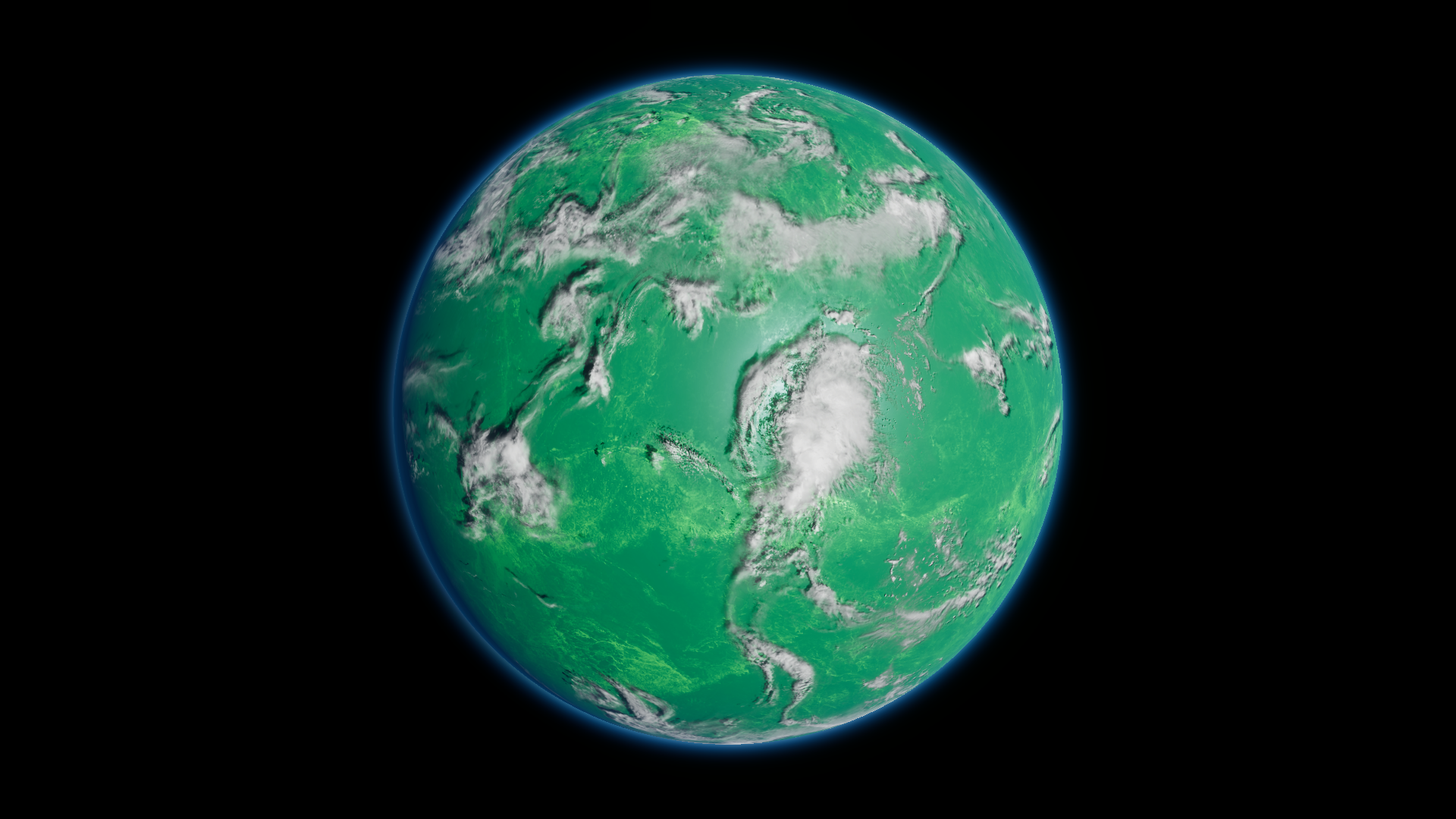
After · Water Deep Color RGB (0.04, 0.35, 0.22).