

Ring Opaque
Color a solid planetary ring using a radial band texture.
Visual example
Section titled “Visual example”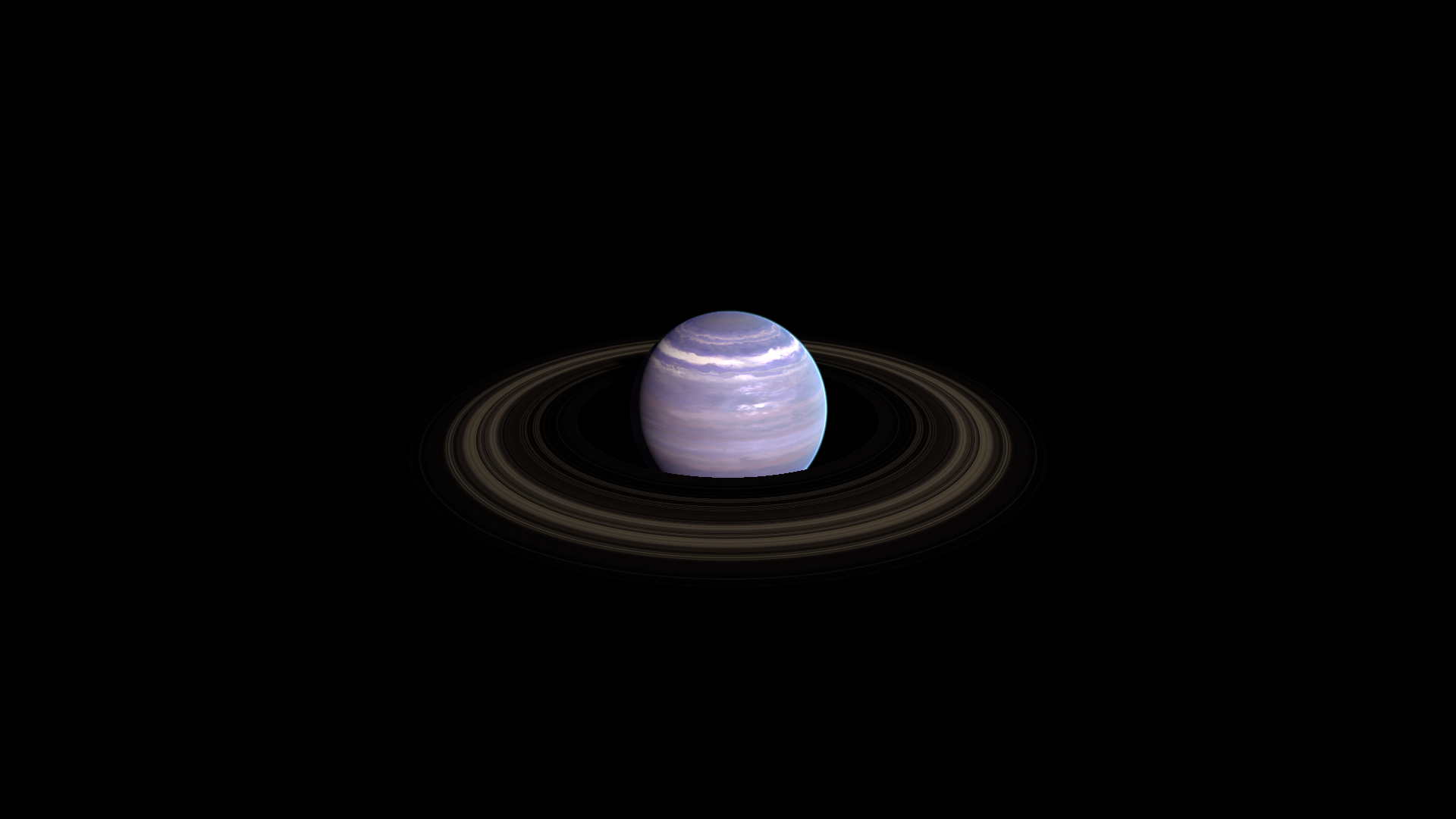
Where to find it
Section titled “Where to find it”Shader menu: FORGE3D/Planets HD/Ring Opaque. Retained material: Assets/FORGE3D/Planets/Gas/Materials/Planet_Ring_Opaque.mat. Use a supplied gas ring mesh as the starting geometry. Select the relevant Mesh Renderer > Materials slot, duplicate that material into your own folder, and assign the copy before editing. See material ownership.
Main settings
Section titled “Main settings”This example combines a supplied gas ring mesh with a retained opaque ring material; it is a custom composition, not a supplied prefab preset. Ring Size and Ring Offset remap the radial bands on existing geometry. Keep Ring Size != Ring Offset + 1; change the ring Transform or mesh to change its geometric extent.
Surface and effect shape
Section titled “Surface and effect shape”| Inspector setting | Property ID | Use and visual effect |
|---|---|---|
| Detail Map | _DetailMap | Fine surface pattern and masks. Its channel use depends on the shader; retain the supplied map while tuning the material. |
| Ring Size | _RingSize | Outer endpoint of radial texture mapping in object space. Redistributes bands; it does not resize the ring mesh. |
| Ring Offset | _RingOffset | Inner endpoint offset for radial texture mapping. Keep Ring Size different from Ring Offset + 1. |
| Ring Tint | _RingTint | Multiplies ring color. On Ring Transparent, alpha also scales opacity from Detail Map red. |
Lighting and rim
Section titled “Lighting and rim”| Inspector setting | Property ID | Use and visual effect |
|---|---|---|
| Metallic | _Metallic | Metallic response of the opaque ring. Adjust with Smoothness under the final lighting and reflection environment. |
| Smoothness | _Smoothness | Surface highlight smoothness. Higher values generally concentrate reflections; texture and cloud masks can reduce the effect. |
Advanced settings
Section titled “Advanced settings”The material samples Detail Map along a radial line with a fixed vertical coordinate. Supply a texture whose bands work along that line. Ring Size and Ring Offset change that lookup span, while Transform scale changes geometry. For mapping and rendering details, see Technical reference.
Practical example
Section titled “Practical example”Duplicate a retained Ring Opaque material and assign it to a supplied ring mesh in a scene copy. Compare Ring Size = -1.04 and -2.08 to redistribute the band pattern; adjust Ring Tint next, leaving the geometry unchanged.
Setting comparisons
Section titled “Setting comparisons”These examples keep the camera, light and other material settings fixed within each pair. Before appears first and After second. Values describe these examples, rather than a required range.
Ring Size comparison
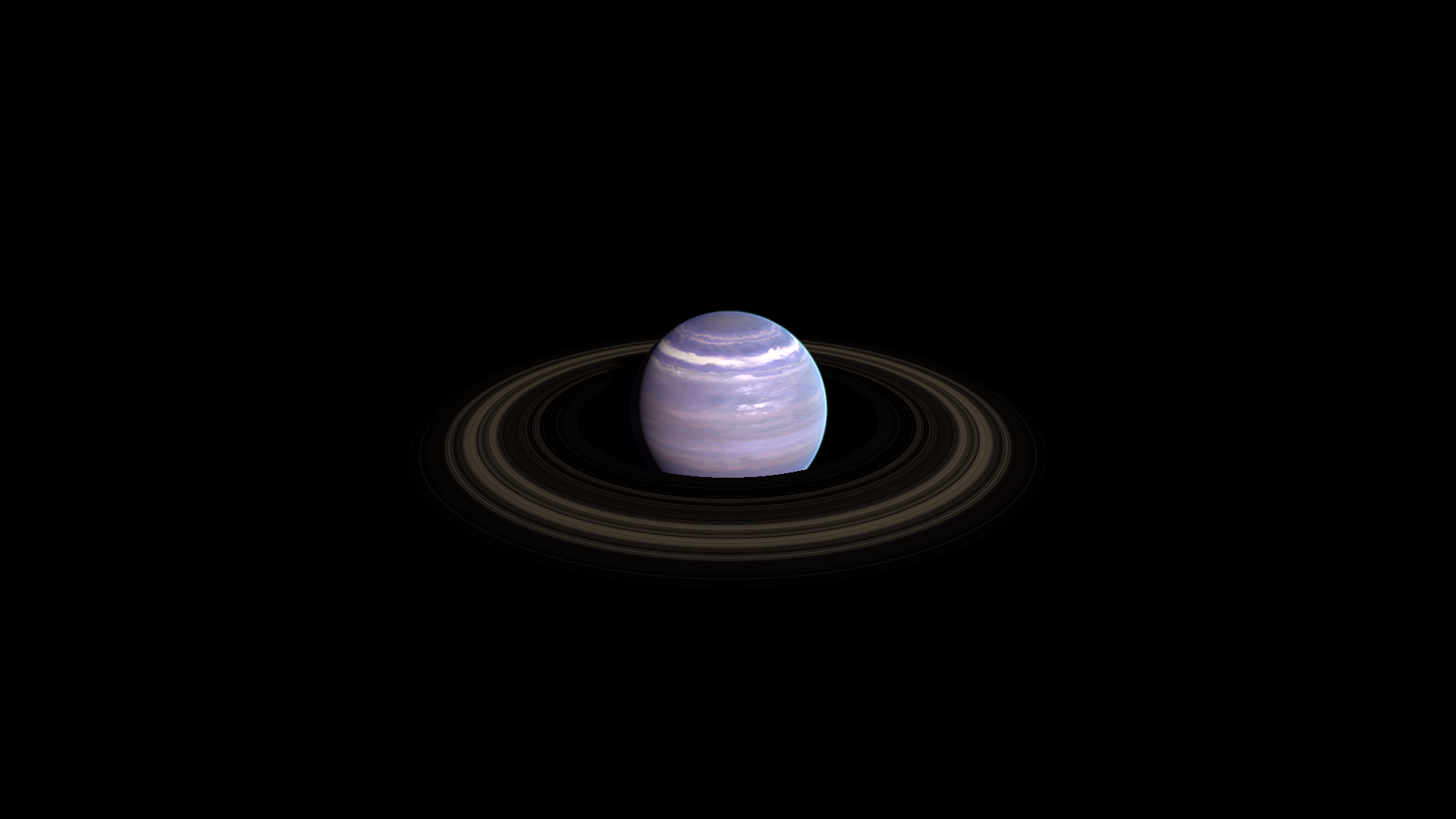
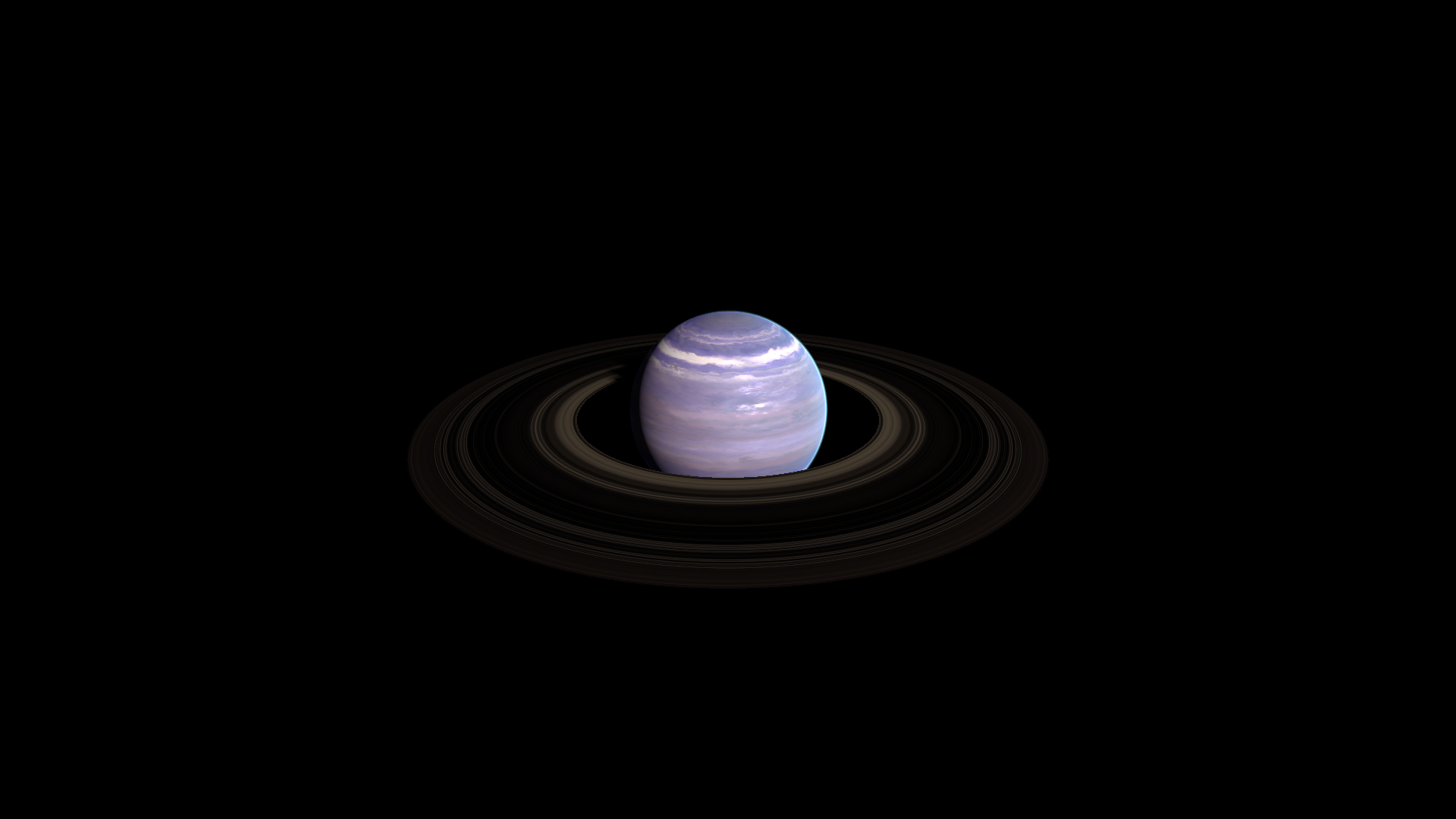
Section titled “Ring Size comparison”Before: -1.04; After: -2.08
Look at the redistribution of radial bands on the same ring geometry.
Before — Ring Size = -1.04
After — Ring Size = -2.08
Related topics
Section titled “Related topics”Shader guide · Materials and customization · Lighting and effects · Practical workflows · Troubleshooting