

Lava
Overview
Section titled “Overview”Build dark volcanic terrain with lit rock and separately tunable emissive fissures.
Shader menu · FORGE3D/Planets HD/Lava
Visual example
Section titled “Visual example”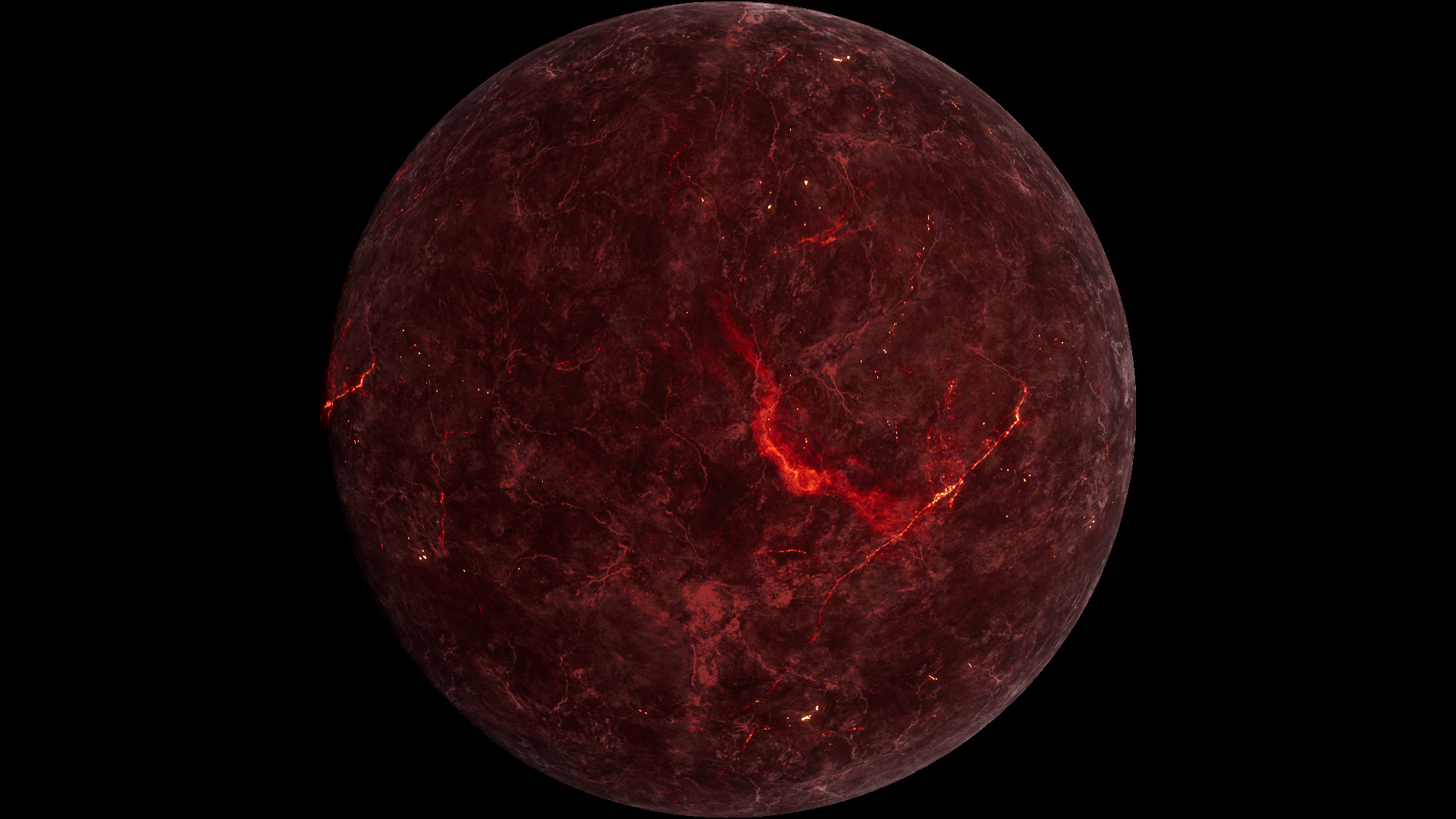
Before · Magma Boost 123.7 on Lava 01.
Where to find it
Section titled “Where to find it”Paths are relative to Assets/FORGE3D/Planets HDRP.
Prefabs/Planet_Lava_01.prefab uses Lava/Materials/Planet_Lava_03.mat on the root Mesh Renderer.
Main settings
Section titled “Main settings”| Group | Inspector setting and property ID | What it changes |
|---|---|---|
| Color | Lava Low _LavaLow, Lava Mid _LavaMid, Lava High _LavaHigh | Set the rock palette across the terrain detail. |
| Emission | Magma Map _MagmaMap, Magma Color Min _MagmaColorMin, Magma Color Max _MagmaColorMax | Set the fissure pattern and the range of magma colors. |
| Emission | Magma Power _MagmaPower, Magma Boost _MagmaBoost, Magma Glow _MagmaGlow | Shape the magma texture’s contribution to the palette. Use Magma Glow to scale the emission. |
| Lighting | Specular Color _SpecularColor, Specular _Specular, Specular Boost _SpecularBoost, Smoothness _Smoothness | Tune highlight color, strength and spread on the lit rock. |
Advanced settings
Section titled “Advanced settings”| Group | Inspector setting and property ID | What it changes |
|---|---|---|
| Surface | Height Tiling _HeightTiling, Detail Tiling _DetailTiling, Normal Scale _NormalScale | Control the size and apparent depth of rock detail. |
| Emission | Lava Mask Power _LavaMaskPower, Lava Mask Boost _LavaMaskBoost, Lava Mask Tiling _LavaMaskTiling | Shape where fissure emission is visible. |
| Animation | Distortion Map _DistortionMap, Distortion Factor _DistortionFactor, Distortion Speed _DistortionSpeed | Control moving distortion in the sampled detail. Compare in Play Mode. |
Practical example
Section titled “Practical example”At fixed Exposure, compare Magma Boost 123.7 and 0. Look at individual fissures. Some glow remains at zero because the masked lava emission still contributes. Adjust Magma Glow for overall strength.
See the matched fissure comparison.
Related topics
Section titled “Related topics”Lava and lightning · Lighting and exposure · Shader Reference