

Thunderstorm
Create a turbulent cloud world with animated, masked lightning emission.
Visual example
Section titled “Visual example”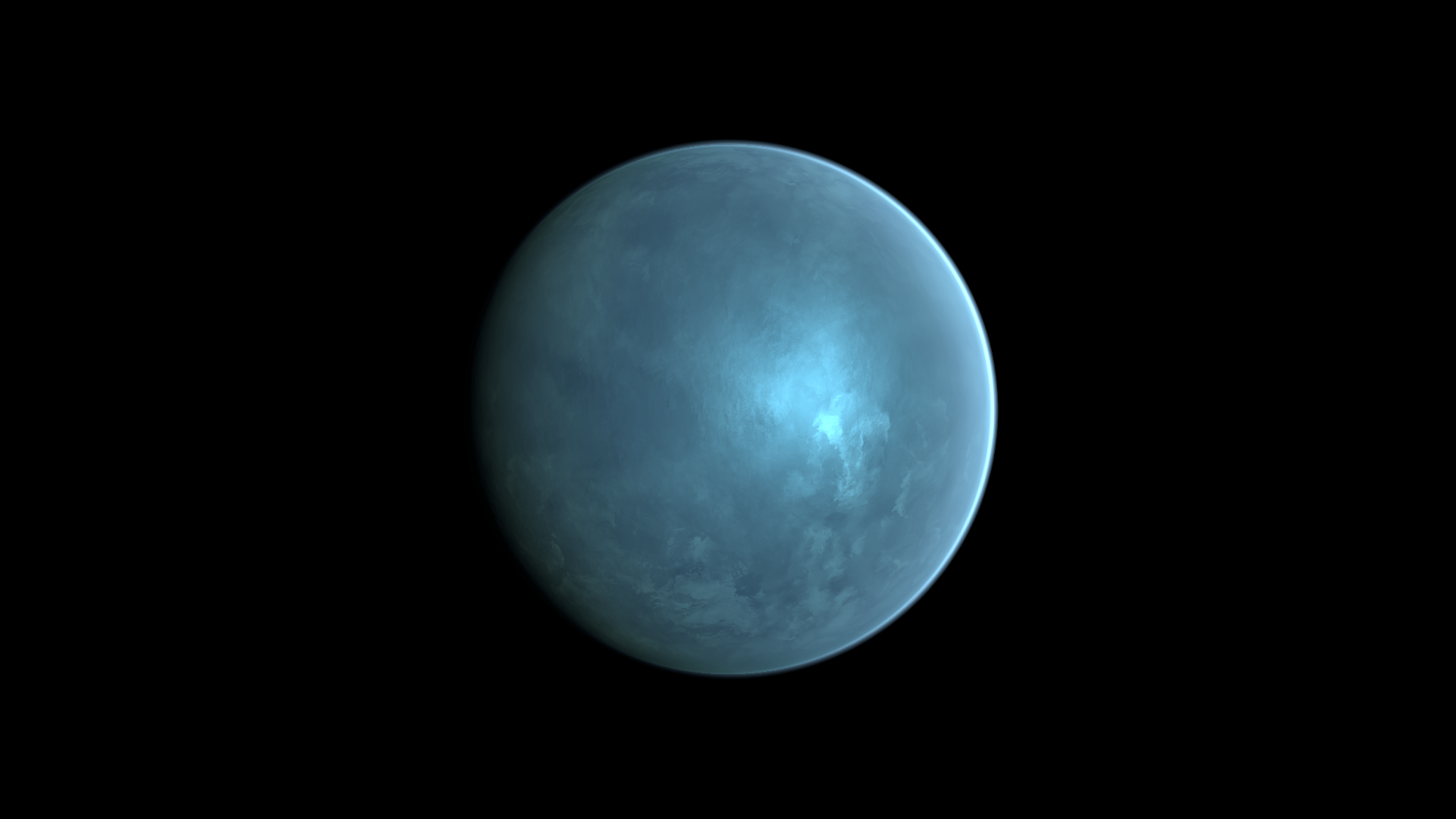
Where to find it
Section titled “Where to find it”Shader menu: FORGE3D/Planets HD/Thunderstorm. Start with Assets/FORGE3D/Planets/Thunderstorm/Planet_Thunderstorm_01.prefab.
Material: Assets/FORGE3D/Planets/Thunderstorm/Materials/Planet_Thunderstorm_01.mat. Select the relevant Mesh Renderer > Materials slot, duplicate that material into your own folder, and assign the copy before editing. See material ownership.
Main settings
Section titled “Main settings”The baseline is one instant in an animated effect. Lightning can be subtle at that instant. Tune the mask before the boost, then inspect several pulses in Play Mode. Lighting A/B Frequency changes texture-offset cadence; a still image cannot show its timing. Lightning is emission, not a spawned Light.
Detail and mapping
Section titled “Detail and mapping”| Inspector setting | Property ID | Use and visual effect |
|---|---|---|
| Normal Map | _NormalMap | Small surface relief through lighting. Keep a compatible normal texture and tune Normal Scale before replacing the map. |
| Normal UV Tiling | _NormalUVTiling | Texture repetition for normal uv. Increase for finer repeated detail; tune its paired motion control separately. |
| Normal UV Speed | _NormalUVSpeed | Animation rate for normal uv. Zero stops that layer’s motion; compare over time in Play Mode. |
| Normal Tiling | _NormalTiling | Texture repetition for normal. Increase for finer repeated detail; tune its paired motion control separately. |
| Normal Speed | _NormalSpeed | Animation rate for normal. Zero stops that layer’s motion; compare over time in Play Mode. |
| Normlal Distortion Factor | _NormlalDistortionFactor | Signed strength of the storm normal distortion. Tune separately from the visible cloud-color distortion. |
| Normal Scale | _NormalScale | Strength of normal-map relief. Increase for stronger small shadows and highlights; it does not raise terrain geometry. |
| Distortion Map | _DistortionMap | Pattern used for animated surface distortion. Retain the supplied map while adjusting motion and strength. |
| Distortion UV Map | _DistortionUVMap | Texture that bends the animated detail coordinates. Tune its motion separately from the main detail. |
| Distortion UV Tiling | _DistortionUVTiling | Texture repetition for distortion uv. Increase for finer repeated detail; tune its paired motion control separately. |
| Distortion UV Speed | _DistortionUVSpeed | Animation rate for distortion uv. Zero stops that layer’s motion; compare over time in Play Mode. |
| Distortion Tiling | _DistortionTiling | Texture repetition for distortion. Increase for finer repeated detail; tune its paired motion control separately. |
| Distortion Speed | _DistortionSpeed | Animation rate for distortion. Zero stops that layer’s motion; compare over time in Play Mode. |
| Distortion Factor | _DistortionFactor | Signed distortion strength. Larger magnitude bends the surface pattern more strongly. |
Surface and effect shape
Section titled “Surface and effect shape”| Inspector setting | Property ID | Use and visual effect |
|---|---|---|
| Tint High | _TintHigh | Color for the brighter end of the storm surface. Tune with Tint Low and Detail Pow. |
| Tint Low | _TintLow | Color for the darker end of the storm surface. Use it to keep cloud relief visible under lightning. |
| Detail Pow | _DetailPow | Contrast exponent for storm detail. Tune before Detail Boost to keep a readable cloud pattern. |
| Detail Boost | _DetailBoost | Strength of the storm detail contribution. Excessive values can hide the difference between low and high tints. |
Lighting and rim
Section titled “Lighting and rim”| Inspector setting | Property ID | Use and visual effect |
|---|---|---|
| Specular Color | _SpecularColor | Tint of the highlight contribution. Check alpha as well as RGB when a highlight adjustment appears ineffective. |
| Specular | _Specular | Strength of the surface highlight, shaped by the shader’s texture masks. Adjust under the intended scene light. |
| Smoothness | _Smoothness | Surface highlight smoothness. Higher values generally concentrate reflections; texture and cloud masks can reduce the effect. |
| Scatter Map | _ScatterMap | Color lookup for the view/light-dependent surface shading. Retain the supplied lookup when first changing the palette. |
| Scatter Color | _ScatterColor | Tints the surface scatter contribution. A dark color can strongly reduce the visible surface. |
| Scatter Boost | _ScatterBoost | Strength of the scatter contribution. Tune with Scatter Color rather than compensating only with light intensity. |
| Scatter Indirect | _ScatterIndirect | Adds a floor to the scatter modulation. Raise it cautiously if the surface becomes too dark outside the bright region. |
| Scatter Stretch | _ScatterStretch | Scales the lookup coordinates, changing the spread of the shading transition. Tune with Scatter Center Shift. |
| Scatter Center Shift | _ScatterCenterShift | Moves the lookup transition. Adjust to reposition the scatter band without changing the planet Transform. |
| Frensel Mult | _FrenselMult | Strength of the rim contribution. At zero, changing its color or power can have no visible effect. |
| Fresnel Power | _FresnelPower | Concentrates the view-dependent rim. Increase to narrow its response toward grazing views; compare with Frensel Mult enabled. |
| Fresnel Color | _FresnelColor | Color of the view-dependent rim contribution. Its strength also depends on Frensel Mult and Fresnel Power. |
Lightning
Section titled “Lightning”| Inspector setting | Property ID | Use and visual effect |
|---|---|---|
| Lighting Mask Map | _LightingMaskMap | Mask pattern restricting lightning regions. Both A/B samples and their motion shape the combined result. |
| Lighting Map | _LightingMap | Fine lightning pattern sampled in two layers. Their tiling and frequency controls create variation over time. |
| Lighting Mask A Tiling | _LightingMaskATiling | Texture repetition for lighting mask a. Increase for finer repeated detail; tune its paired motion control separately. |
| Lighting Mask B Tiling | _LightingMaskBTiling | Texture repetition for lighting mask b. Increase for finer repeated detail; tune its paired motion control separately. |
| Lighting Mask A UV Speed | _LightingMaskAUVSpeed | Animation rate for lighting mask a uv. Zero stops that layer’s motion; compare over time in Play Mode. |
| Lighting Mask B UV Speed | _LightingMaskBUVSpeed | Animation rate for lighting mask b uv. Zero stops that layer’s motion; compare over time in Play Mode. |
| Lighting A Tiling | _LightingATiling | Texture repetition for lighting a. Increase for finer repeated detail; tune its paired motion control separately. |
| Lighting B Tiling | _LightingBTiling | Texture repetition for lighting b. Increase for finer repeated detail; tune its paired motion control separately. |
| Lighting A Frequency | _LightingAFrequency | Cadence of jumps in the A lightning texture offset. Inspect over time in Play Mode, not in a still frame. |
| Lighting B Frequency | _LightingBFrequency | Cadence of jumps in the B lightning texture offset. Tune against A for a less uniform flash pattern. |
| Lightning Sine Mult | _LightningSineMult | Time multiplier for the lightning pulse. Inspect several pulses after changing it. |
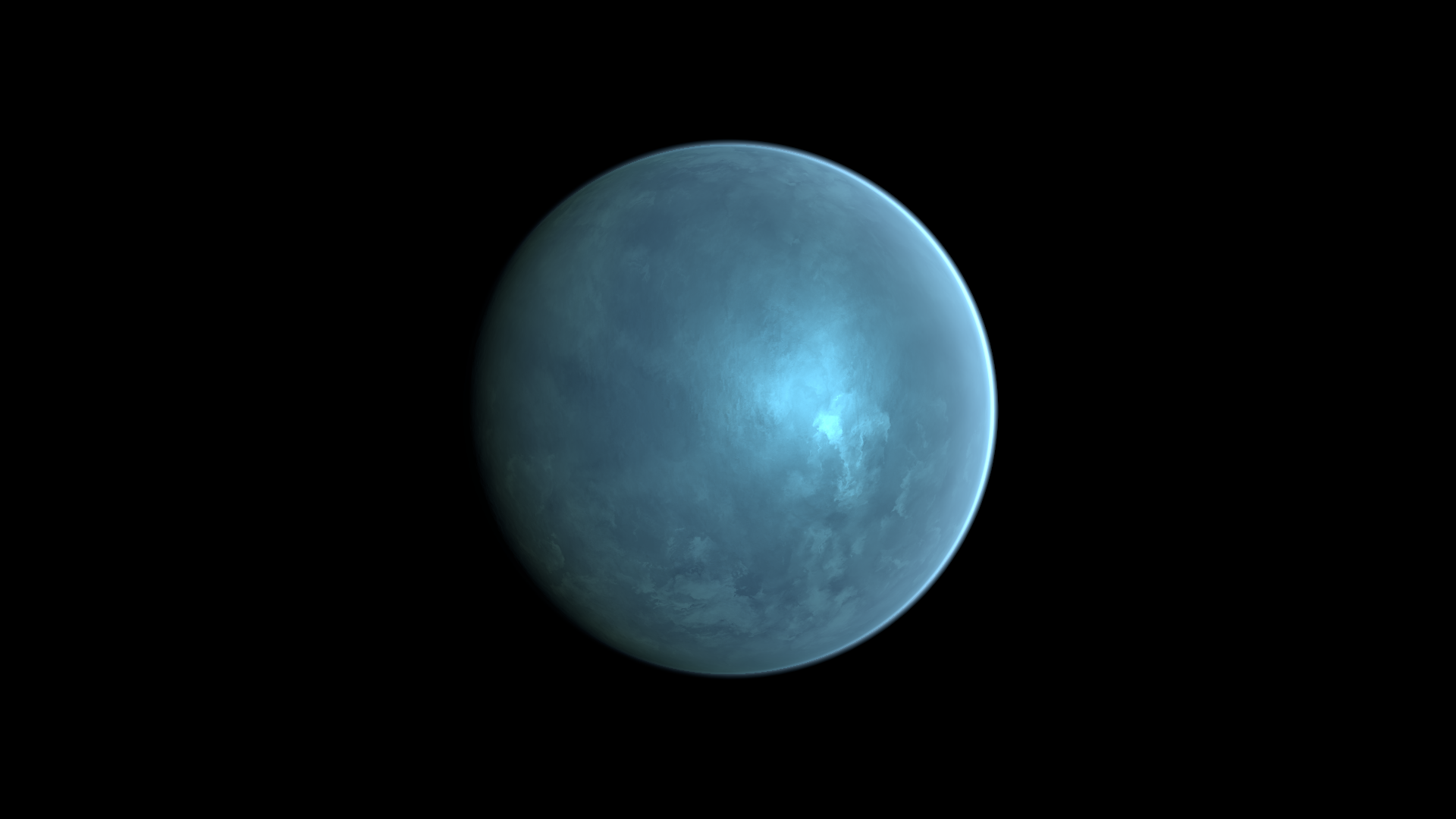
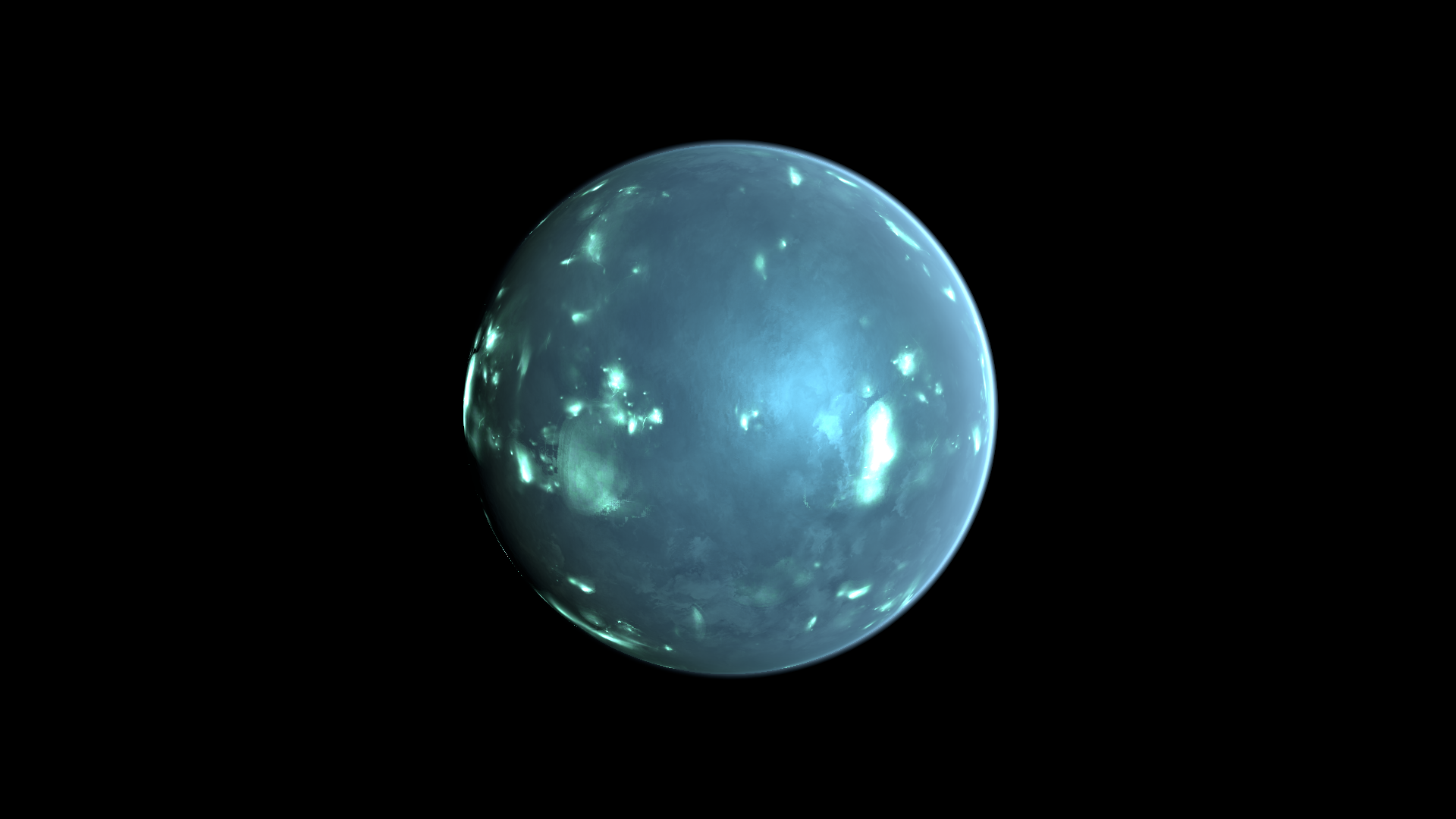
| Lignting Mask Pow | _LigntingMaskPow | Exponent shaping the lightning mask. Lower values can reveal broader lightning areas; compare 10.2 and 2 below. |
| Lightning Boost | _LightningBoost | Emission multiplier for lightning. It cannot reveal areas removed by the lightning masks. |
| Lightning Color | _LightningColor | Tint of lightning emission. Tune with Lightning Boost after establishing a visible mask. |
Advanced settings
Section titled “Advanced settings”Normal distortion and cloud-color distortion have separate maps, scales and motion controls. Match them visually without assuming identical numeric values produce identical movement. Lightning uses two mask/detail layers; retain the source maps while learning frequency and pulse controls. For mapping and rendering details, see Technical reference.
Practical example
Section titled “Practical example”Duplicate Planet_Thunderstorm_01.mat. Compare Lignting Mask Pow = 10.2 and 2 to reveal broader lightning regions. Keep the source maps, then tune Lightning Color and Lightning Boost while watching the animation.
Setting comparisons
Section titled “Setting comparisons”These examples keep the camera, light and other material settings fixed within each pair. Before appears first and After second. Values describe these examples, rather than a required range.
Lignting Mask Pow comparison
Section titled “Lignting Mask Pow comparison”Before: 10.2; After: 2
Look at the broader visible lightning regions with the lower mask exponent.
Before — Lignting Mask Pow = 10.2
After — Lignting Mask Pow = 2
Related topics
Section titled “Related topics”Shader guide · Materials and customization · Lighting and effects · Practical workflows · Troubleshooting