

Sun Corona
Shape the animated rays and glow around a stellar surface.
Visual example
Section titled “Visual example”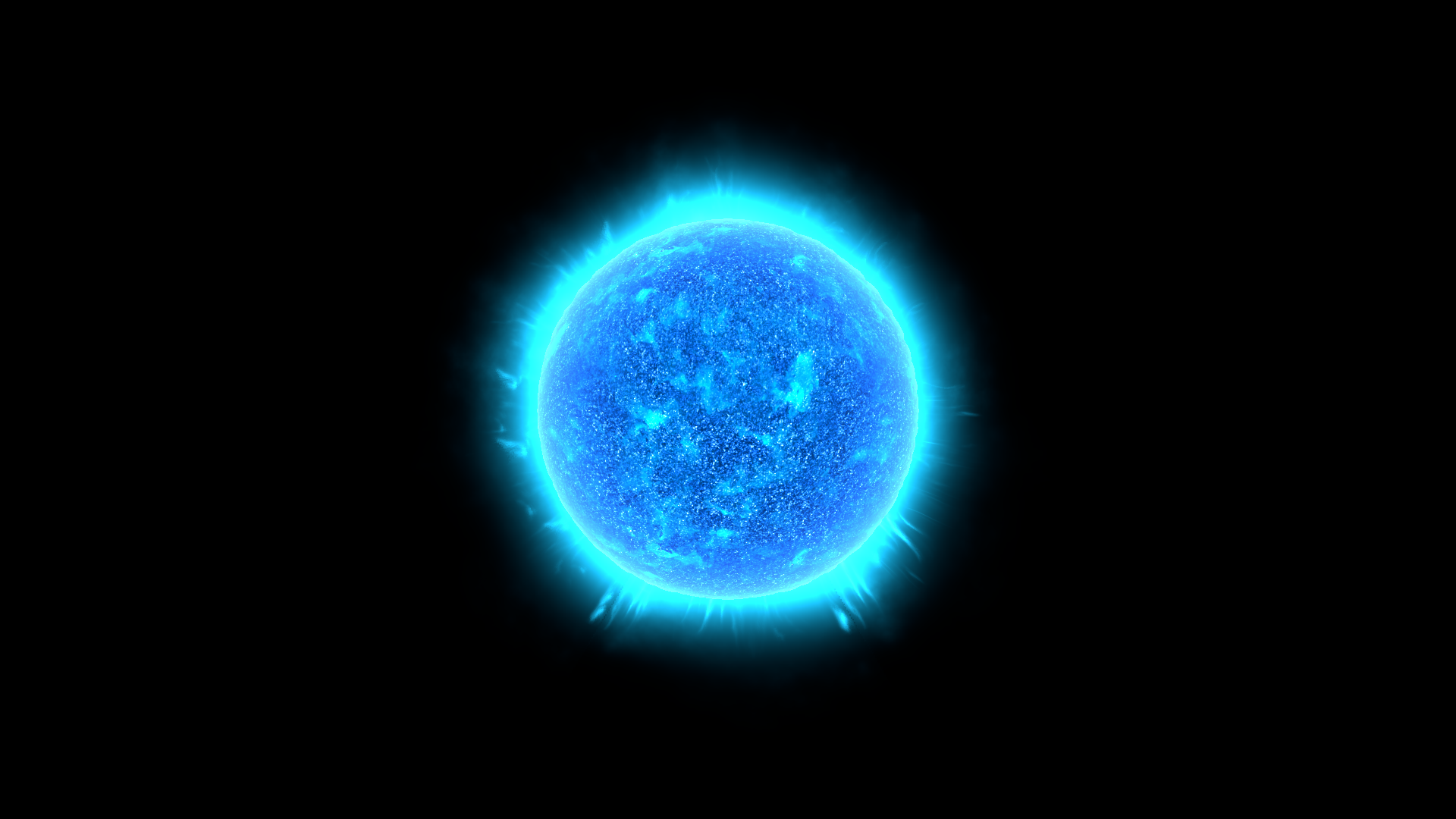
Where to find it
Section titled “Where to find it”Shader menu: FORGE3D/Planets HD/Sun Corona. Start with Assets/FORGE3D/Planets/Sun/Sun_Blue.prefab.
Material: Assets/FORGE3D/Planets/Sun/Materials/Sun_Corona_Blue_01.mat. Select the relevant Mesh Renderer > Materials slot, duplicate that material into your own folder, and assign the copy before editing. See material ownership.
Main settings
Section titled “Main settings”The image includes the Sun surface for context. Select the corona renderer’s material to adjust these controls. Enable URP Depth Texture and keep Depth Fade nonzero. Depth Fade is measured in world units, so revisit it after changing the Sun’s scale. Inspect actual intersections in your scene; this control does not guarantee seamless blending with every object. The published example uses root scale 1200.
Surface and effect shape
Section titled “Surface and effect shape”| Inspector setting | Property ID | Use and visual effect |
|---|---|---|
| Edge Fade Falloff | _EdgeFadeFalloff | Exponent shaping the corona’s view-angle fade. Tune from the final camera angle. |
| Edge Fade Boost | _EdgeFadeBoost | Strength of the view-angle fade. Adjust with Edge Fade Falloff when the corona plane becomes too visible. |
| Corona Map | _CoronaMap | Red/green noise and discharge pattern for the corona. Retain it while tuning color, radial shape and motion. |
| Discharge Tile Y | _DischargeTileY | Texture repetition for discharge y. Increase for finer repeated detail; tune its paired motion control separately. |
| Discharge Tile X | _DischargeTileX | Texture repetition for discharge x. Increase for finer repeated detail; tune its paired motion control separately. |
| Discharge Pan Speed | _DischargePanSpeed | Animation rate for discharge pan. Zero stops that layer’s motion; compare over time in Play Mode. |
| Corona Fluid Tile | _CoronaFluidTile | Texture repetition for corona fluid. Increase for finer repeated detail; tune its paired motion control separately. |
| Corona Fluid Influence | _CoronaFluidInfluence | Strength of fluid distortion in the corona. Tune with Corona Fluid Tile to reshape the rays. |
| Solar Storm Falloff | _SolarStormFalloff | Shapes the storm-noise contribution. Tune with Solar Storm Power before increasing corona brightness. |
| Solar Storm Power | _SolarStormPower | Strength/shaping control for the discharge-noise product. Adjust with Solar Storm Falloff and inspect the ray structure. |
| Corona Tile X | _CoronaTileX | Texture repetition for corona x. Increase for finer repeated detail; tune its paired motion control separately. |
| Corona Tile Y | _CoronaTileY | Texture repetition for corona y. Increase for finer repeated detail; tune its paired motion control separately. |
| Corona Speed | _CoronaSpeed | Animation rate for corona. Zero stops that layer’s motion; compare over time in Play Mode. |
| Corona Amp | _CoronaAmp | Amplitude shaping of the secondary corona term. Tune with Corona Exp and the discharge layers. |
| Corona Exp | _CoronaExp | Exponent of the secondary corona term. Adjust to change the contrast of its structure. |
| Corona Boost | _CoronaBoost | Strength of the radial corona mask. Tune with Corona Falloff rather than compensating only with color. |
| Corona Falloff | _CoronaFalloff | Radial falloff of the corona. Changes how its glow is concentrated around the star. |
| Corona Color | _CoronaColor | Color and brightness tint of the additive corona. Dark colors reduce the visible halo. |
| Depth Fade | _DepthFade | Scene-depth distance scale in world units. Enable Depth Texture and keep this nonzero; inspect intersections at your scene scale. |
Advanced settings
Section titled “Advanced settings”Discharge Tile X/Y and Corona Tile X/Y control different polar pattern layers. Tune their motion separately with Discharge Pan Speed and Corona Speed. Corona Fluid Tile/Influence distorts that pattern; Edge Fade controls the view-angle response of the corona geometry. For mapping and rendering details, see Technical reference.
Practical example
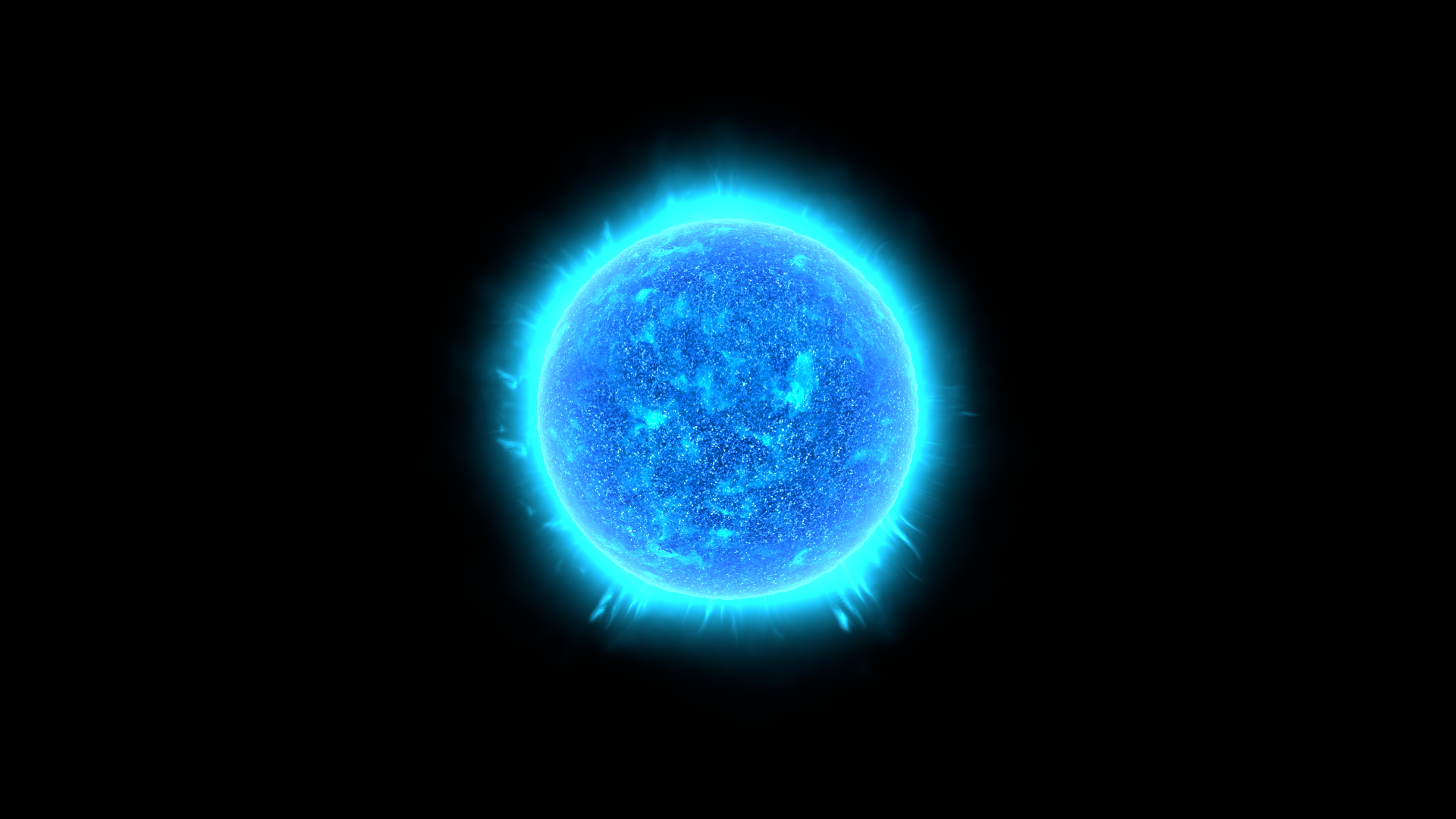
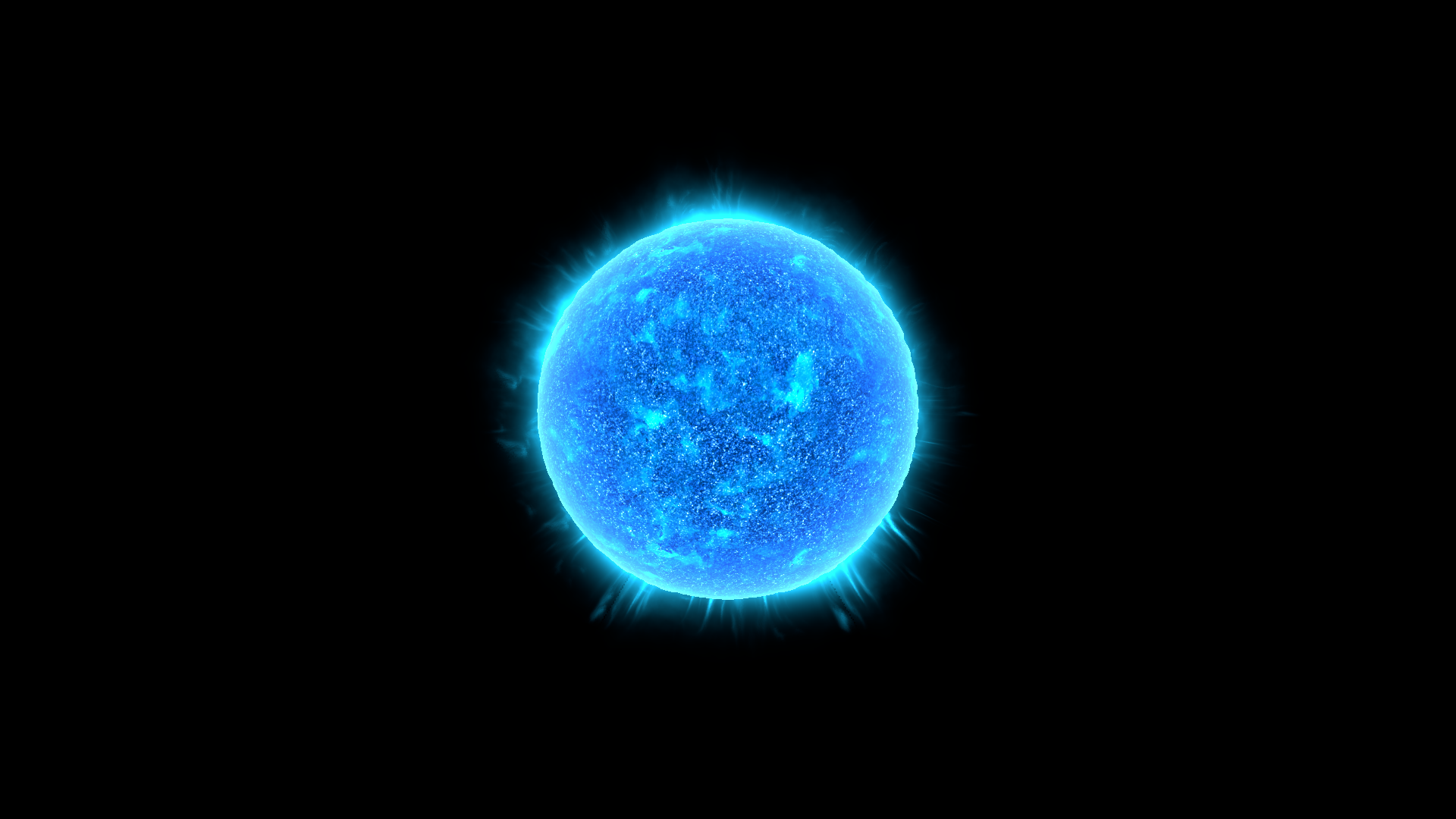
Section titled “Practical example”Duplicate Sun_Corona_Blue_01.mat. Compare Corona Falloff = 3.77 and 7.54 to reshape the radial glow. Match Corona Color to the Sun palette, then inspect the result at the intended camera angle and scene scale.
Setting comparisons
Section titled “Setting comparisons”These examples keep the camera, light and other material settings fixed within each pair. Before appears first and After second. Values describe these examples, rather than a required range.
Corona Falloff comparison
Section titled “Corona Falloff comparison”Before: 3.77; After: 7.54
Look at the radial concentration and extent of the corona around the star.
Before — Corona Falloff = 3.77
After — Corona Falloff = 7.54
Related topics
Section titled “Related topics”Shader guide · Materials and customization · Lighting and effects · Practical workflows · Troubleshooting