

Gas
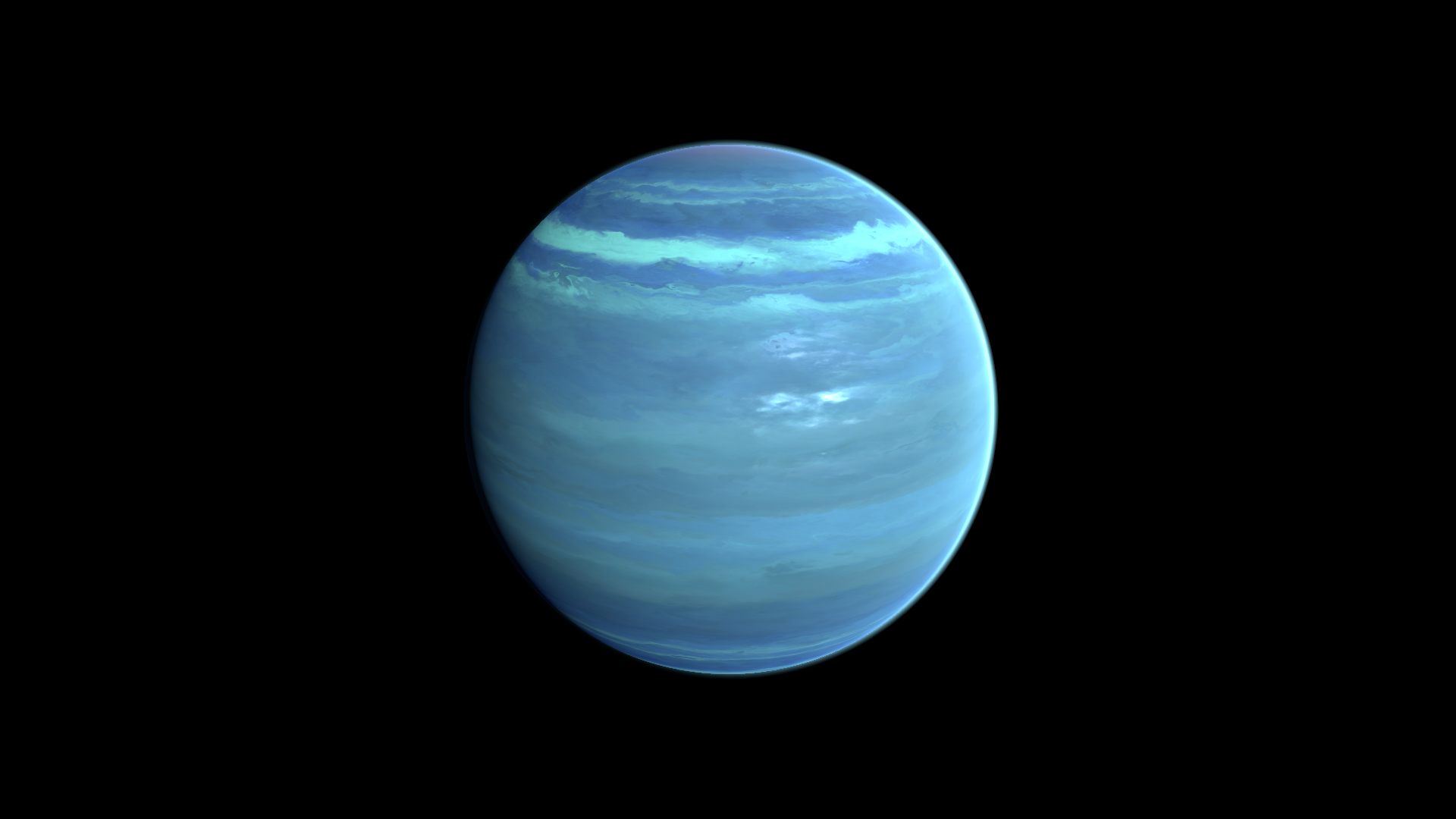
Shape a gas giant with animated bands, distorted detail and distinct polar regions.
Visual example
Section titled “Visual example”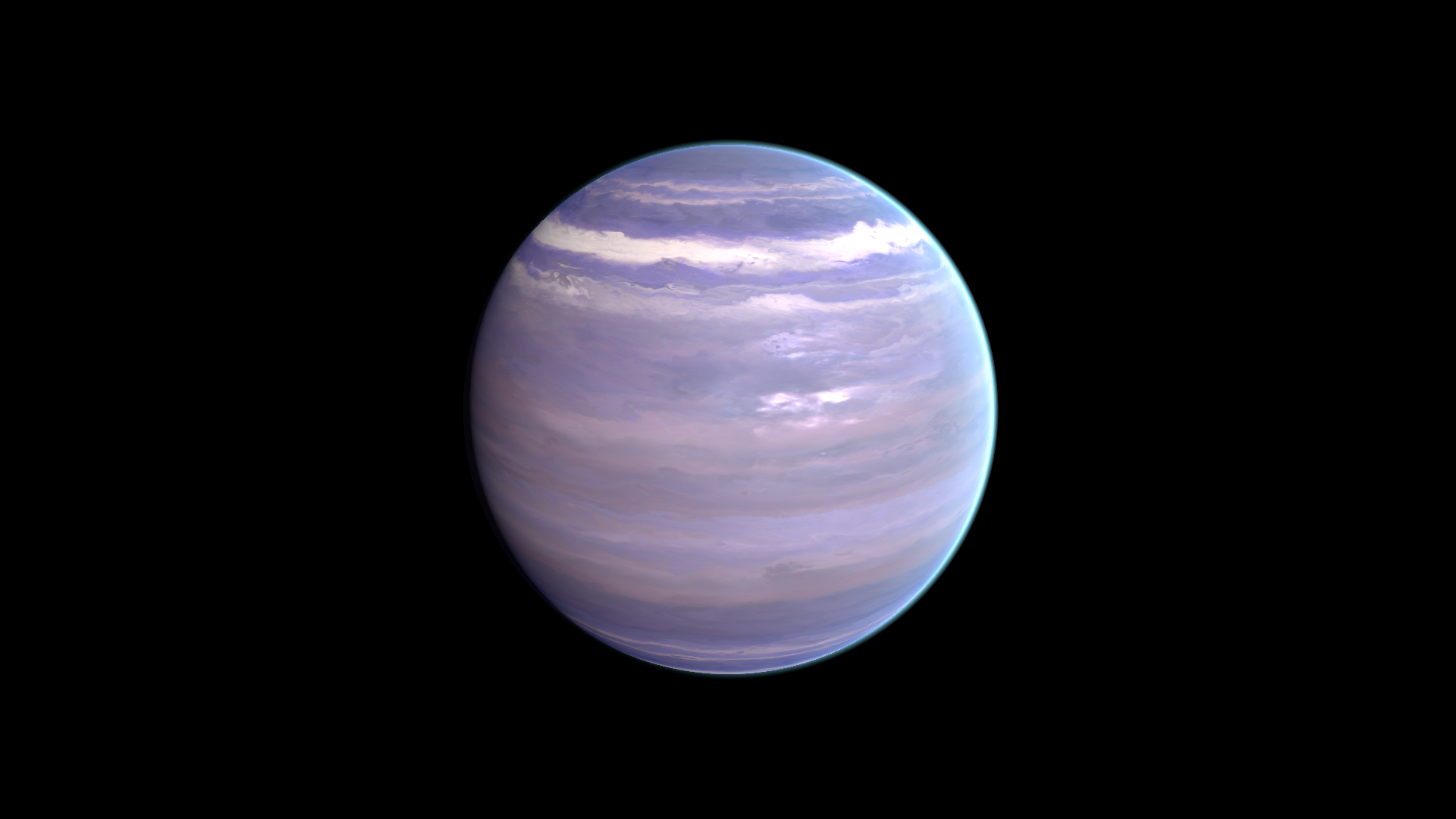
Where to find it
Section titled “Where to find it”Shader menu: FORGE3D/Planets HD/Gas. Start with Assets/FORGE3D/Planets/Gas/Planet_Gas_01.prefab.
Material: Assets/FORGE3D/Planets/Gas/Materials/Planet_Gas_01.mat. Select the relevant Mesh Renderer > Materials slot, duplicate that material into your own folder, and assign the copy before editing. See material ownership.
Main settings
Section titled “Main settings”The close-up above hides the ring to show the surface. Band motion and distortion motion are separate: enter nonzero XY speed components and observe in Play Mode. Multiplying a zero speed vector leaves it zero. Pole masks and Vector 1 affect the cap region, so inspect a pole as well as the equator.
Surface and effect shape
Section titled “Surface and effect shape”| Inspector setting | Property ID | Use and visual effect |
|---|---|---|
| Height Map | _HeightMap | Texture that distributes surface layers and detail. Its channels shape the material; it is not a terrain mesh generator. |
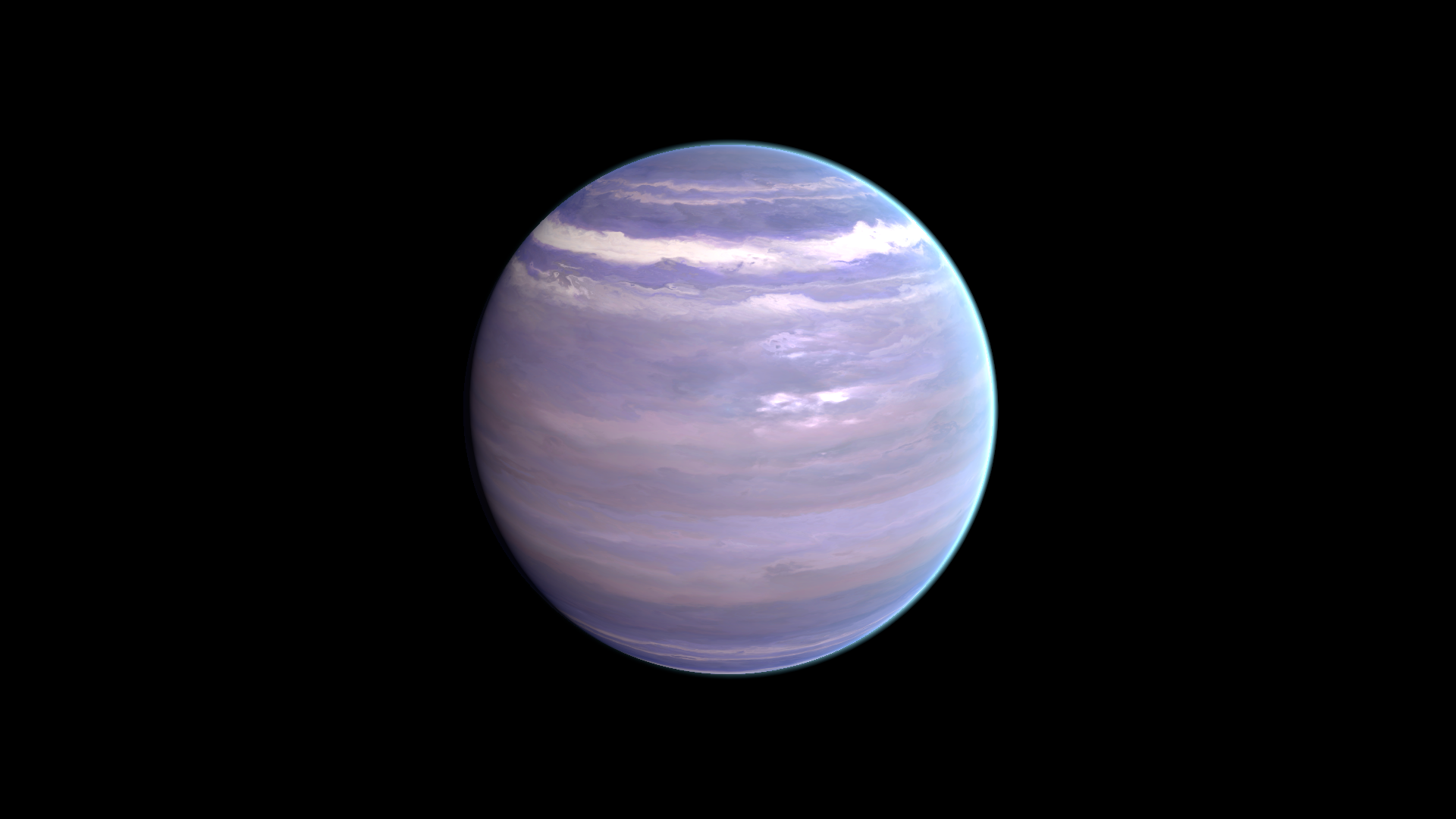
| Tint | _Tint | Multiplies the surface texture color. Use white to retain its palette, or a colored tint to shift the whole surface. |
Band distortion and motion
Section titled “Band distortion and motion”| Inspector setting | Property ID | Use and visual effect |
|---|---|---|
| UV Distortion Map | _UVDistortionMap | Red-channel distortion pattern that bends gas bands and contributes pole detail. Tune UV Distortion before replacing it. |
| UV Speed | _UVSpeed | XY panning direction and rate of the gas bands. A zero vector stays still; enter a nonzero component to animate. |
| UV Distortion Speed | _UVDistortionSpeed | XY motion of the gas distortion texture. Animate it separately from UV Speed for evolving bands. |
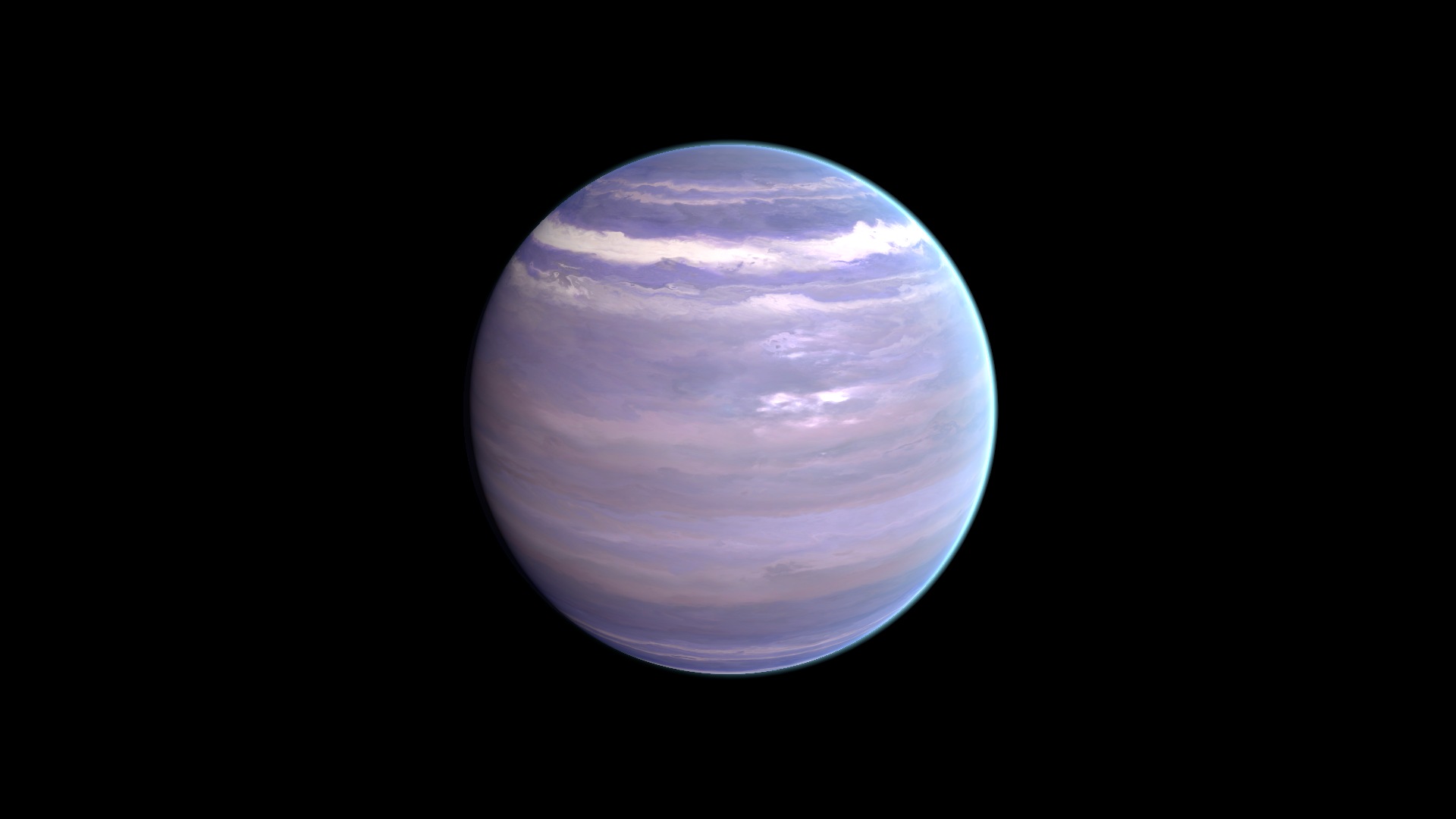
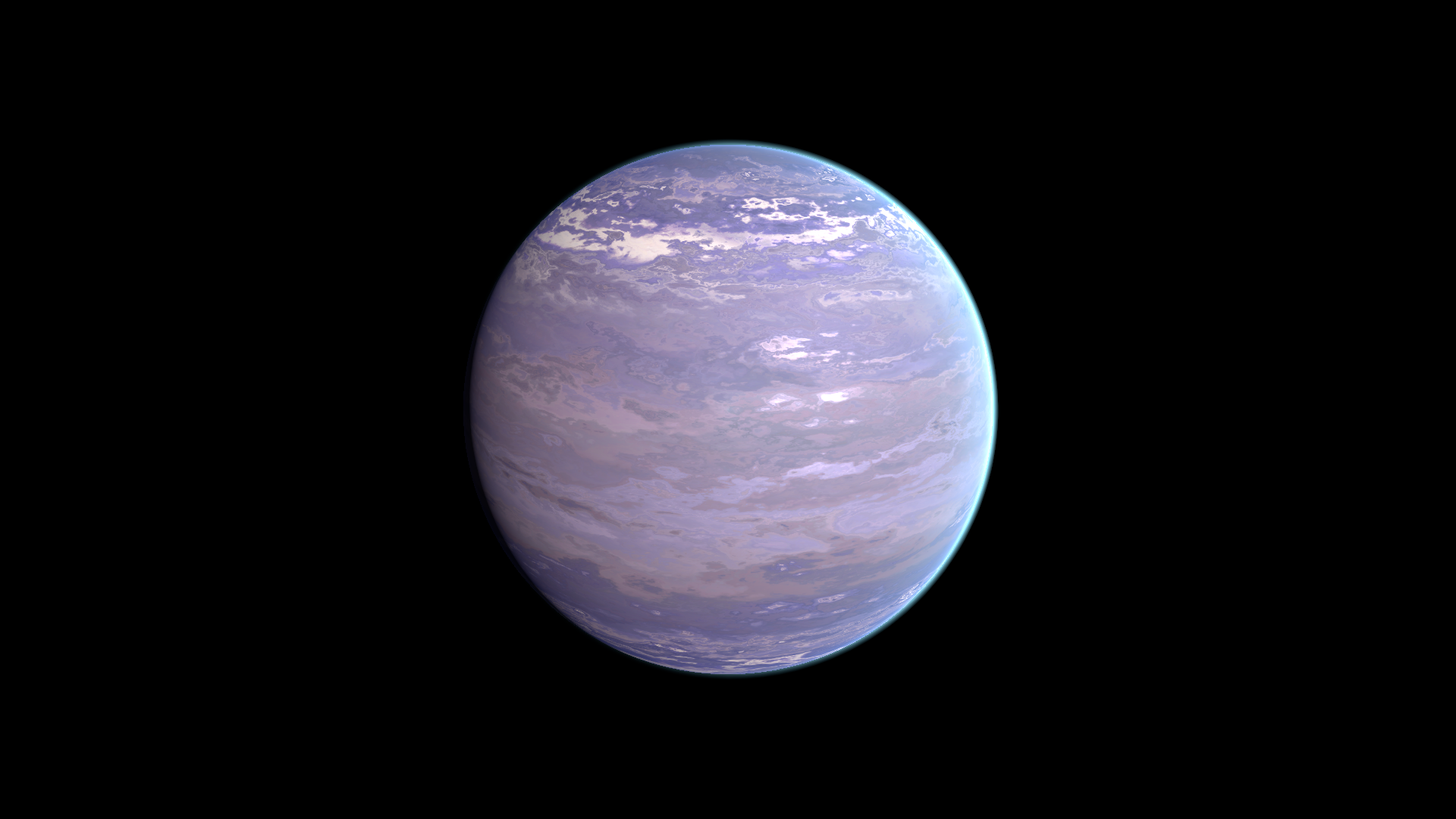
| UV Distortion | _UVDistortion | Amount of distortion applied to gas band coordinates. Increase for more strongly warped bands. |
Polar regions
Section titled “Polar regions”| Inspector setting | Property ID | Use and visual effect |
|---|---|---|
| Pole Mask Lo/Hi | _PoleMaskLoHi | XY low/high thresholds for the polar transition. Keep the two thresholds ordered and distinct. |
| Pole Mask Shift | _PoleMaskShift | Shifts the polar mask to change the extent of the cap region. Tune while viewing a pole. |
| Vector 1 | _Vector1 | X sets pole detail tiling; Y sets the projection blend exponent. Keep Y positive. Z and W do not tune these two controls. |
| Pole Color | _PoleColor | Tint of the polar detail, blended over the banded surface. Pole Boost and the polar mask determine its visibility. |
| Pole Boost | _PoleBoost | Strength of polar detail. Tune with Pole Color and the pole mask before changing the source texture. |
Lighting and rim
Section titled “Lighting and rim”| Inspector setting | Property ID | Use and visual effect |
|---|---|---|
| Metallic Lo/Hi | _MetallicLoHi | XY low/high remap for metallic regions from Height Map red. Keep the pair ordered and distinct. |
| Smoothness Boost | _SmoothnessBoost | Multiplier for smoothness outside the poles. Tune with Smoothness Lo/Hi and the final reflection environment. |
| Metallic Boost | _MetallicBoost | Multiplier for metallic response outside the poles. Reflections and scene lighting strongly affect the result. |
| Smoothness Lo/Hi | _SmoothnessLoHi | XY low/high remap for smoothness from distortion red. Keep the pair ordered and distinct. |
| Frensel Mult | _FrenselMult | Strength of the rim contribution. At zero, changing its color or power can have no visible effect. |
| Fresnel Power | _FresnelPower | Concentrates the view-dependent rim. Increase to narrow its response toward grazing views; compare with Frensel Mult enabled. |
| Fresnel Color | _FresnelColor | Color of the view-dependent rim contribution. Its strength also depends on Frensel Mult and Fresnel Power. |
Advanced settings
Section titled “Advanced settings”Vector 1 is a two-purpose control: X changes pole detail scale, Y changes its triplanar blend. Adjust one component at a time while viewing a pole. Metallic and smoothness remaps depend on texture channels and the reflection environment; choose the scene environment before fine-tuning them. For mapping and rendering details, see Technical reference.
Practical example
Section titled “Practical example”Duplicate Planet_Gas_01.mat. Compare UV Distortion = 0.076 and 0.5 for more strongly warped bands. For a cooler palette, change Tint from RGBA (1, 1, 1, 0) to (0.5, 1, 1, 0), preserving alpha.
Setting comparisons
Section titled “Setting comparisons”These examples keep the camera, light and other material settings fixed within each pair. Before appears first and After second. Values describe these examples, rather than a required range.
UV Distortion comparison
Section titled “UV Distortion comparison”Before: 0.076; After: 0.5
Look at the bending and breakup of the gas bands.
Before — UV Distortion = 0.076
After — UV Distortion = 0.5
Tint comparison
Section titled “Tint comparison”Before: RGBA(1.000, 1.000, 1.000, 0.000); After: RGBA(0.500, 1.000, 1.000, 0.000)
Look at the overall color shift while texture detail stays in place.
Before — Tint = RGBA(1.000, 1.000, 1.000, 0.000)
After — Tint = RGBA(0.500, 1.000, 1.000, 0.000)
Related topics
Section titled “Related topics”Shader guide · Materials and customization · Lighting and effects · Practical workflows · Troubleshooting